


Offering flexible payment and checkout options to customers on your Shopify e-commerce store is a great way to ensure their transaction process runs smoothly. On the market now, there are so many convenient checkout software and applications, such as PayPal, Stripe, and AfterPay. However, we believe that Shop Pay (Shop app) stands out as the most tightly integrated option for Shopify merchants.
If you’re curious about Shop Pay and the advantages of using it, keep reading. This comprehensive guide will cover everything from understanding what Shop Pay is to how you can add it to your Shopify store. Let’s get ready to optimize your checkout process with Shop Pay.
- What is Shop Pay?
- Why do I need Shop Pay?
- Who can use Shop Pay?
- Is Shopify Payments and Shop Pay the same?
- Benefits of Shop Pay
- How to add Shop Pay to your Shopify store? (Step-by-Step)
- What is ‘Shop Pay Installments’ and how to enable it?
- Features of Shop Pay
- 1. Instant Checkout
- 2. Autofill Shipping and Billing Details
- 3. Multiple Currency Support
- 4. Seamless Integrations with Shopify
- 5. Fraud Protection
- 6. Local Pickup and Delivery
- 7. Installments (BNPL)
- 8. In-Store (POS) Installments
- 9. Social Commerce Checkout
- 10. Shop App Subscriptions
- 11. Product Variant Display
- 12. Checkout Add-Ons Support
- 13. Shop Pay Analytics Dashboard
- Shop Pay vs PayPal vs Stripe vs After Pay
- Conclusion
- FAQs
What is Shop Pay?
Shop Pay is an accelerated payment processing service/app designed for online stores. It helps reduce the checkout process time by allowing your customers to save their information and complete transactions quickly.

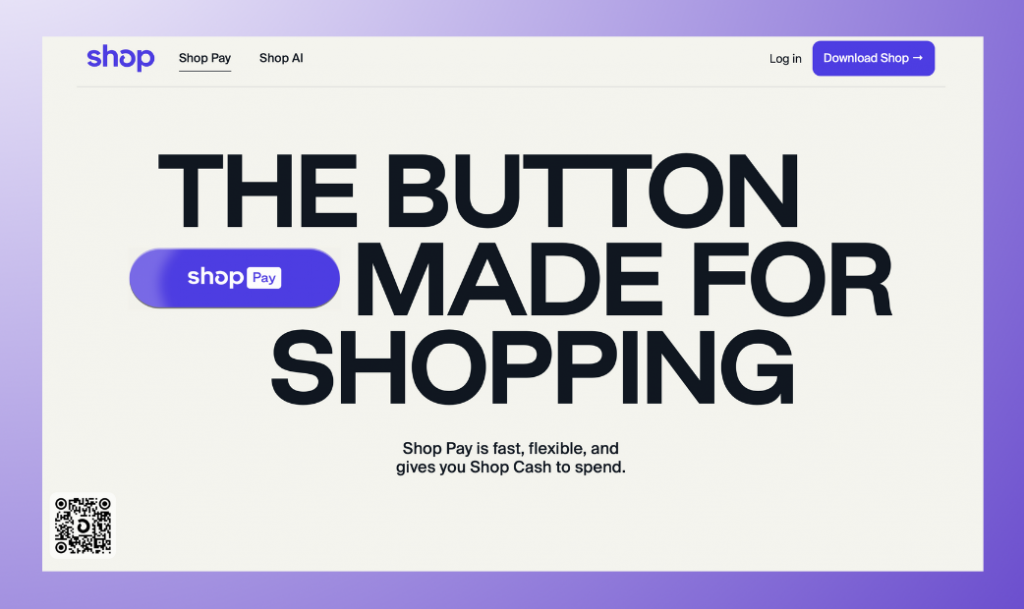
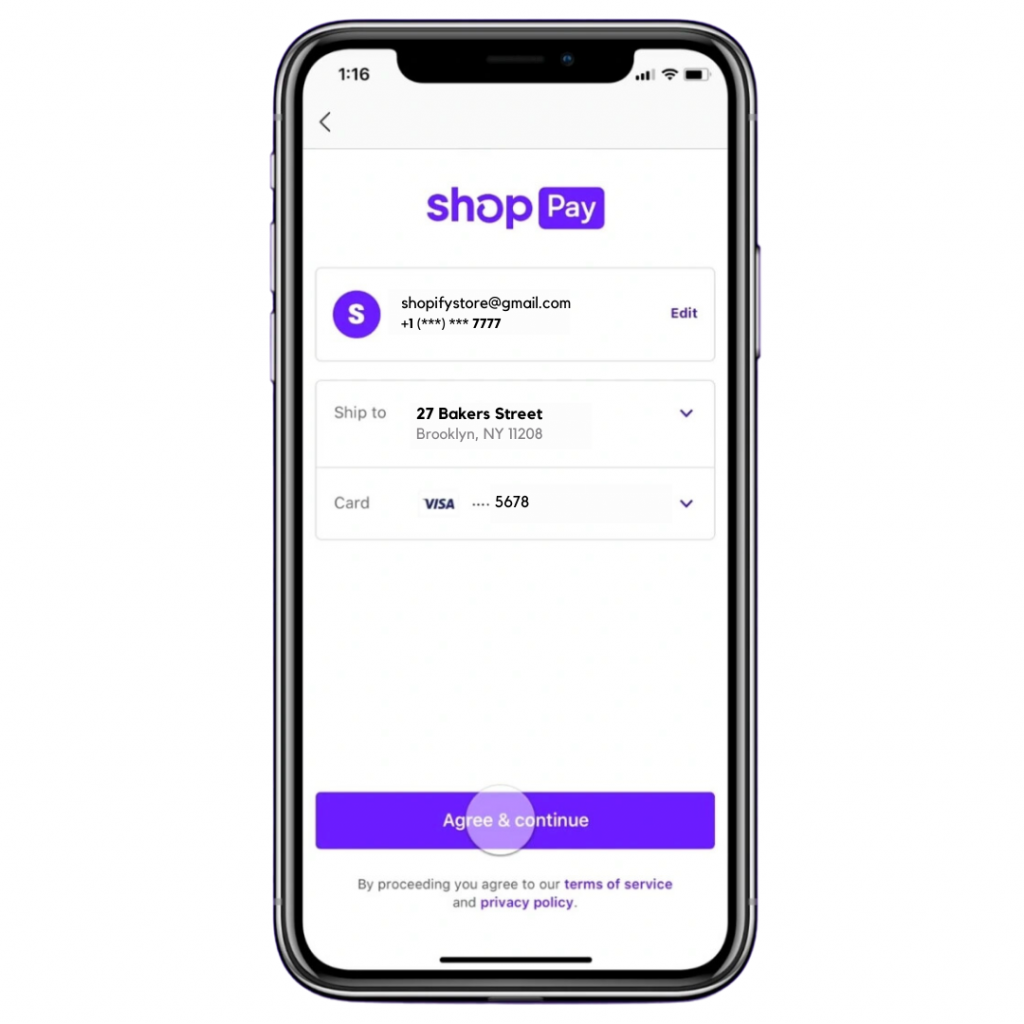
Shop Pay helps you securely store any shopper’s shipping and billing addresses, payment options, and order history at one secure storage location. This makes shopping on your e-commerce store more convenient than ever before.
In addition, Shop Pay offers a frictionless checkout experience, including Apple Pay and Google Pay. No matter which device or platform you use, your customers can pay with ease.
New Updates (October 2025):
Search Visibility: Merchants can now choose whether their Shop storefront appears in search engine results. This gives more control over how products from the Shop app are discovered outside Shopify. (source)
Shopify Catalog: The Shop app now runs on the Shopify Catalog. That means eligible products can appear and be sold inside the Shop app, while other products can still be discovered there and send shoppers back to the merchant’s online store to complete the purchase. (source)
Why do I need Shop Pay?
Shop Pay offers much more than just an efficient checkout process. It also allows you to keep track of your customers’ orders, receive payments quickly and securely, and monitor their order status.
Plus, Shop Pay integrates with major e-commerce platforms such as Shopify (here’s the link to the Shop app for Shopify stores) and WooCommerce, which makes it extremely easy to add it to your e-commerce store. The service comes with no setup fee or monthly subscription cost (excluding commission per transaction).
With and without Shop Pay checkout
In a survey of 10,000 customers conducted by Shopify, it was discovered that the Shop Pay-enabled stores had conversions up by 50% relative to guest checkout, and outpaced other accelerated checkouts by at least 10%. This statistic shows how much value and convenience can be added to any customer experience. More recent data tells an even bigger story:
- 40%+ of all Shopify checkouts are now completed through Shop Pay.
- Shop Pay reduces cart abandonment rates by approximately 18%.
- During Black Friday–Cyber Monday 2025, Shop Pay usage grew 39% year-over-year and accounted for nearly one-third of all orders across the Shopify platform.
- Mobile conversion rates with Shop Pay are nearly 1.91x higher compared to traditional checkout flows.
Who can use Shop Pay?
Shop Pay is designed to be used by both small and large online e-commerce business owners alike. It’s a secure, reliable, and user-friendly checkout service that can be integrated into most e-commerce stores regardless of their size or scope.
Overall, it’s become increasingly popular as more businesses realize the benefits of using Shop Pay on their website. If you are looking for a payment solution that provides your customers with an easy and fast checkout experience, then Shop Pay is definitely worth considering.

Is Shopify Payments and Shop Pay the same?
No, Shopify Payments and Shop Pay are not the same. While both services offer secure checkout experiences, they are actually quite different in terms of functionality and purpose.
Shopify Payments is a backend merchant service offered by Shopify that allows you to accept payments directly from your customers. It integrates with your online store to handle payment processing as well as refunds, deposits, and taxes.
On the other hand, Shop Pay is an external checkout experience that allows customers to save their personal information for quick checkout on any e-commerce store. It also offers one-click payment methods such as Apple Pay and Google Pay so customers can complete their purchases without having to enter their card details every time.
Benefits of Shop Pay

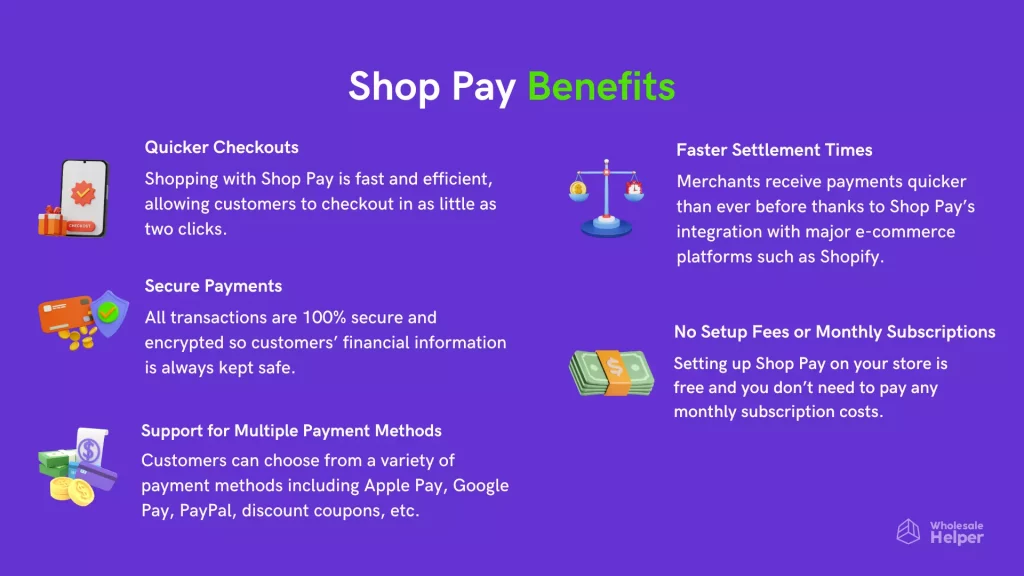
Overall, Shop Pay offers an extremely convenient and secure checkout experience for customers, as well as a range of benefits for online merchants. It’s an excellent payment processing solution that can help you increase sales and grow your business quickly and easily.
How to add Shop Pay to your Shopify store? (Step-by-Step)
If you would like to start using Shop Pay on your e-commerce store, follow these simple steps:
#Method 1: If you’re using Shopify Payments as the default payment provider and want to add Shop Pay
Steps:
(1) Go to your Shopify admin dashboard and click on Settings.
(2) Go to the Payments tab and activate Shopify Payments.

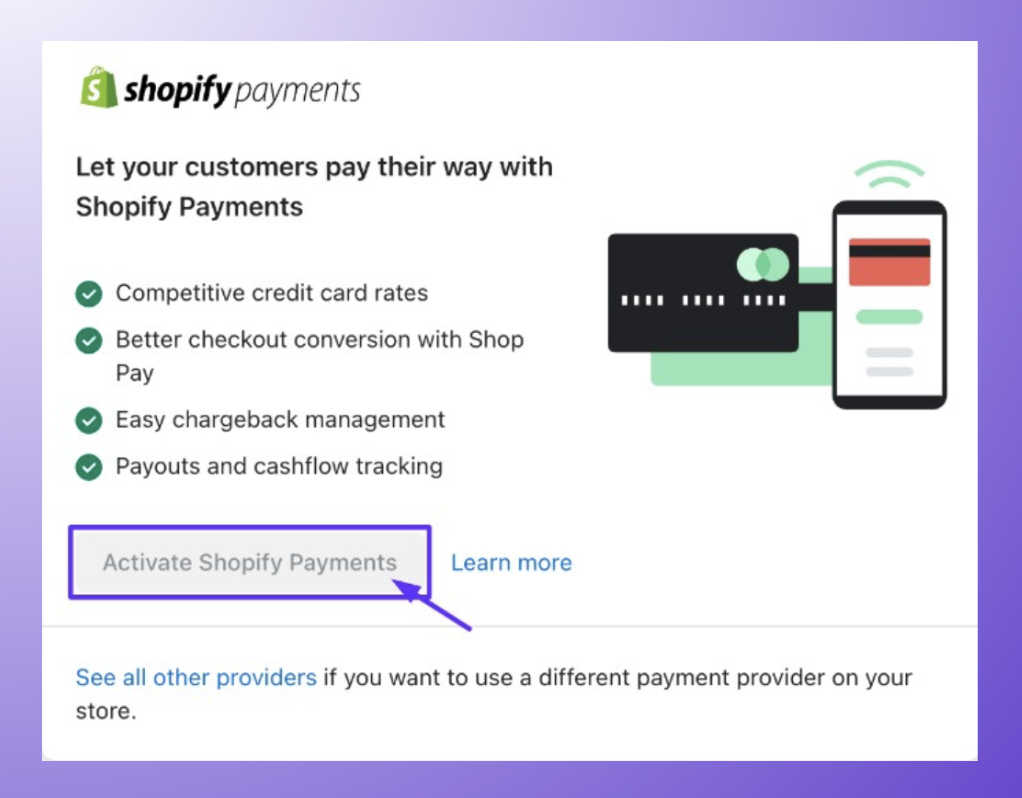
(3) After you fill in all the required details and activate Shopify Payments, you’ll see a Manage button; simply click on it.
(4) Scroll down to Shop Pay and select the checkbox Shop Pay.

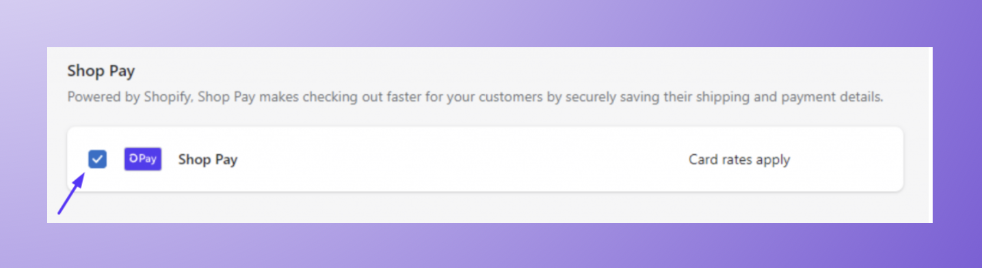
(5) Click Save.
If you desire to accept credit cards, but not through Shopify Payments, there are still more than 100 payment providers that can suit the needs of your Shopify store.
Note: Just make sure you also have this Shop app installed from the Shopify App Store.
#Method 2: If you’re using a third-party payment processor and want to add Shop Pay
Steps:
(1) Go to your Shopify admin dashboard and click on Settings.
(2) Go to the Payments tab.
(3) Then go to the third-party payment provider section and click on Manage.
(4) Now, go to Shop Pay and select the Shop Pay checkbox.
(5) Hit the Save button.
(6) In the Shop Pay section, enable it to click on Complete setup.
(7) Finally, save your changes by clicking on the Save button.
What is ‘Shop Pay Installments’ and how to enable it?
Shop Pay Installments is Shopify’s built-in buy now, pay later (BNPL) solution, powered by Affirm. It lets your customers split purchases into interest-free or monthly payments without leaving your store.
How to Enable Shop Pay Installments:
- Go to your Shopify admin dashboard and click Settings.
- Then go to Payments.
- Scroll down to the Shopify Payment section and click on Manage.
- Now, go to Shop Pay and select the checkbox to Enable Shop Pay Installments.
- Click Save to save your changes.
Updated Fee Structure (2025)
The merchant fee for Shop Pay Installments is 5.9% + $0.30 per transaction. Standard Shop Pay processing (without installments) costs 2.4% to 2.9% + $0.30, depending on your Shopify plan. Note: installment fees are not refunded if a customer requests a return.
Prerequisites to enable Shop Pay Installments on a Shopify store
Before you can start accepting installment payments from customers, there are a few prerequisites that must be met:
1. Your store must have both Shopify Payments and Shop Pay activated.
2. Your store must be based in the US, UK, and Canada and should accept payments in USD, GBP, and CAD respectively.
NOTE:
Further expansions are planned for Australia, Netherlands, and Western Europe. Keep an eye on the Shopify changelog to stay updated regarding this.
How much fee does Shop Pay installments take for a purchase on net payment terms?
Shoppers who spend between $50 and $999.99 can take advantage of interest-free, four/biweekly plans, while those spending over $150 have the option to spread their payments out every month at an APR rate ranging from 10% – 36%. Purchase amounts determine whether customers can pay in three, six, or twelve months.
Features of Shop Pay
1. Instant Checkout
Customers can complete their purchase in just two clicks with Shop Pay’s instant checkout feature.
2. Autofill Shipping and Billing Details
Shop Pay remembers customers’ shipping and billing details so they don’t have to enter them every time they purchase something from your store.
3. Multiple Currency Support
Shop Pay is available in multiple currencies – AUD, NZD, CAD, USD, GBP, and EUR, allowing customers from all over the world to shop on your store without any difficulty.
4. Seamless Integrations with Shopify
Shop Pay is natively built-into Shopify, making it easy to set up without any help from a developer. It also integrates with popular e-commerce platforms like WooCommerce via the Shopify Buy Button.
5. Fraud Protection
Shop Pay utilizes advanced fraud detection technologies to help protect customers and merchants from eCommerce fraud. The platform is PCI-compliant, ensuring buyers’ credit card data is handled to the highest security standards.
6. Local Pickup and Delivery
If you’re offering local pickup or delivery to your customers, then they shall be able to opt for it when they checkout with Shop Pay.
7. Installments (BNPL)
Shop Pay also offers your customers a convenient way to purchase your products in weekly, bi-weekly, or monthly installments.
With these features, Shop Pay makes it easier than ever for merchants to offer a secure and convenient checkout experience to their customers. Whether you’re just starting out or already have an established online store, it’s definitely a payment processing platform worth considering.
8. In-Store (POS) Installments
If you sell at a retail location using Shopify POS in the United States, you can now offer Shop Pay Installments for in-person checkouts. Eligible purchase amounts and APR rates are the same as the online experience.
9. Social Commerce Checkout
In 2025, Shopify extended Shop Pay’s reach beyond Shopify stores. Merchants selling on Instagram, TikTok, and Google can now offer the Shop Pay checkout button directly on those platforms — so customers get the same fast, familiar experience without being redirected.
10. Shop App Subscriptions
Beginning June 2025, customers are able to view and purchase subscription products directly through the Shop app. Merchants can manage subscriptions in the Subscriptions section of their Shopify admin.
11. Product Variant Display
Shop Pay and the Shop app now support displaying both color and text-based variants on product pages, making it easier to showcase product options accurately without leaving the checkout flow.
12. Checkout Add-Ons Support
Accelerated checkout through Shop Pay now supports purchasing products with add-ons directly from the product page — useful for merchants offering bundles, gift wrapping, or other upsells at the product level.
13. Shop Pay Analytics Dashboard
Shopify added Shop Pay-specific metrics to the analytics dashboard in 2025. Merchants can now see Shop Pay conversion rates, average order values, and installment usage data — making it straightforward to measure the direct impact of Shop Pay on your business.
Shop Pay vs PayPal vs Stripe vs After Pay
| # | Features | Shop Pay | PayPal | Afterpay | Stripe |
|---|---|---|---|---|---|
| 1 | Instant checkout | Yes | Yes | Yes | Yes |
| 2 | Installments/BNPL | Yes | Yes | Yes | Yes |
| 3 | Commission fee | 5.9% + $0.30 (installments) 2.4–2.9% + $0.30 (standard) | 2.9% + $0.30 (US) 4.4% + fees (intl) | $0.30 flat + 4–6% per txn | 2.9% + $0.30 +1.5% intl +1% conversion |
| 4 | Multi-currency | Yes | Yes | Yes | Yes |
| 5 | Platform integration | Native (Shopify) | Wide | Limited | Wide |
| 6 | Fraud protection | Yes | Yes | Yes | Yes |
| 7 | 1-click payment for repeat customers | Yes | Yes | Yes | Yes |
| 8 | Supported countries | 30+ (growing) | 200+ | 5 | 51 |
| 9 | Supported languages | 22 | English + one 1 local language of your country | English | 34 |
| 10 | Supported currencies | AUD, NZD, CAD, or USD | 25 | USD, CAD, GBP, AUD, NZD, or EUR | 135+ |
| 11 | Social Commerce Checkout | Yes (TikTok, IG, Google) | Limited | No | Partial |
| 12 | POS Installments | Yes (US) | No | No | No |
Read Also:
- Showdown: Shopify vs Etsy
- Selling on Faire Marketplace Vs Having Your Wholesale Store: Which Option Is Better?
It’s important to note that each payment processing platform offers different features and benefits, so it’s best to research them all before deciding which one is right for your business needs. In any case, Shop Pay is certainly a great option if you’re looking for a fast and secure way to accept payments from customers. Plus, it’s already integrated with Shopify, so you can get started right away.
Conclusion
With its secure checkout process and flexible payment options, Shop Pay is certainly one of the best payment processing platforms out there. So if you’re looking for an efficient way to accept payments from customers, then Shop Pay should be your first choice. We recommend that you try it out and see for yourself how easy and convenient it is.
You can find more information about Shop Pay on the official website or look at their help center articles if you have any queries.
Ready to impress your B2B customers? Start wholesaling like a pro! 🙂
Try our Wholesale Pricing Discount app for free !
FAQs
What is Shop Pay?
Shop Pay is a secure payment tool that stores your credit card and shipping information so you can check out faster on participating websites. This innovative method was created by the leading ecommerce platform provider, Shopify, to make shopping more convenient for customers while limiting cart abandonment risks.
How does Shop Pay work?
When shoppers opt for Shop Pay at checkout, they just need to input their credit card and shipping information which will then be securely stored on Shop Pay’s servers. As a result, future purchases from any store that has adopted Shop Pay can now be completed with ease – all you have to do is enter your password when it comes time to check out! With this simple step the customer no longer needs to re-enter their payment or shipping details yet still benefits from secure transactions every single time.
Is Shop Pay safe and secure?
Yes, Shop Pay is designed to be safe and secure for both shoppers and merchants. Shopify uses industry-standard encryption and security protocols to protect all sensitive information and is PCI-compliant to ensure that credit card data is handled in accordance with the highest security standards.
Can I use Shop Pay on any ecommerce site?
No, Shop Pay is only available on ecommerce sites that have integrated with the Shopify platform and enabled the Shopify payments method. In 2025, it also became available on Instagram, TikTok, and Google Shopping for participating merchants. Many popular online stores now offer Shop Pay, including Allbirds, Gymshark, and Kith. If you want to offer Shop Pay for your WooCommerce store customers, then you will first need to add a ‘buy now’ button with a product display so that it will take your customers to your Shopify and then he/she will be able to purchase that product using Shop Pay.
Are there any fees for using Shop Pay?
There are no fees for shoppers. For merchants, standard Shop Pay checkout fees are 2.4% to 2.9% + $0.30 per transaction, depending on your Shopify plan. Shop Pay Installments carries an additional fee of 5.9% + $0.30 per transaction, which is not refunded in the event of a return.
Is Shop Pay Installments available outside the US?
Yes — as of 2025, Shop Pay Installments is available in the US, Canada (launched April 2025), and the UK (launched December 2025). Further expansion to Australia and parts of Western Europe is planned.
Does Shop Pay work in person at retail locations?
Yes. US merchants using Shopify POS can now offer Shop Pay Installments for in-store purchases, with the same eligible amounts and terms as online.