
Key Takeaways
- Shopify now lets you publish or unpublish individual variants across sales channels, regional markets, and B2B catalogs.
- The parent product and the individual variant must both be published for the variant to appear.
- You can use variant publishing to show bulk packs only to B2B buyers or restrict region-specific SKUs.
- Variant publishing controls product availability. It does not replace customer-specific locks for pages, prices, or other store content.
- Newly created variants are published by default unless you change their publishing settings before saving.
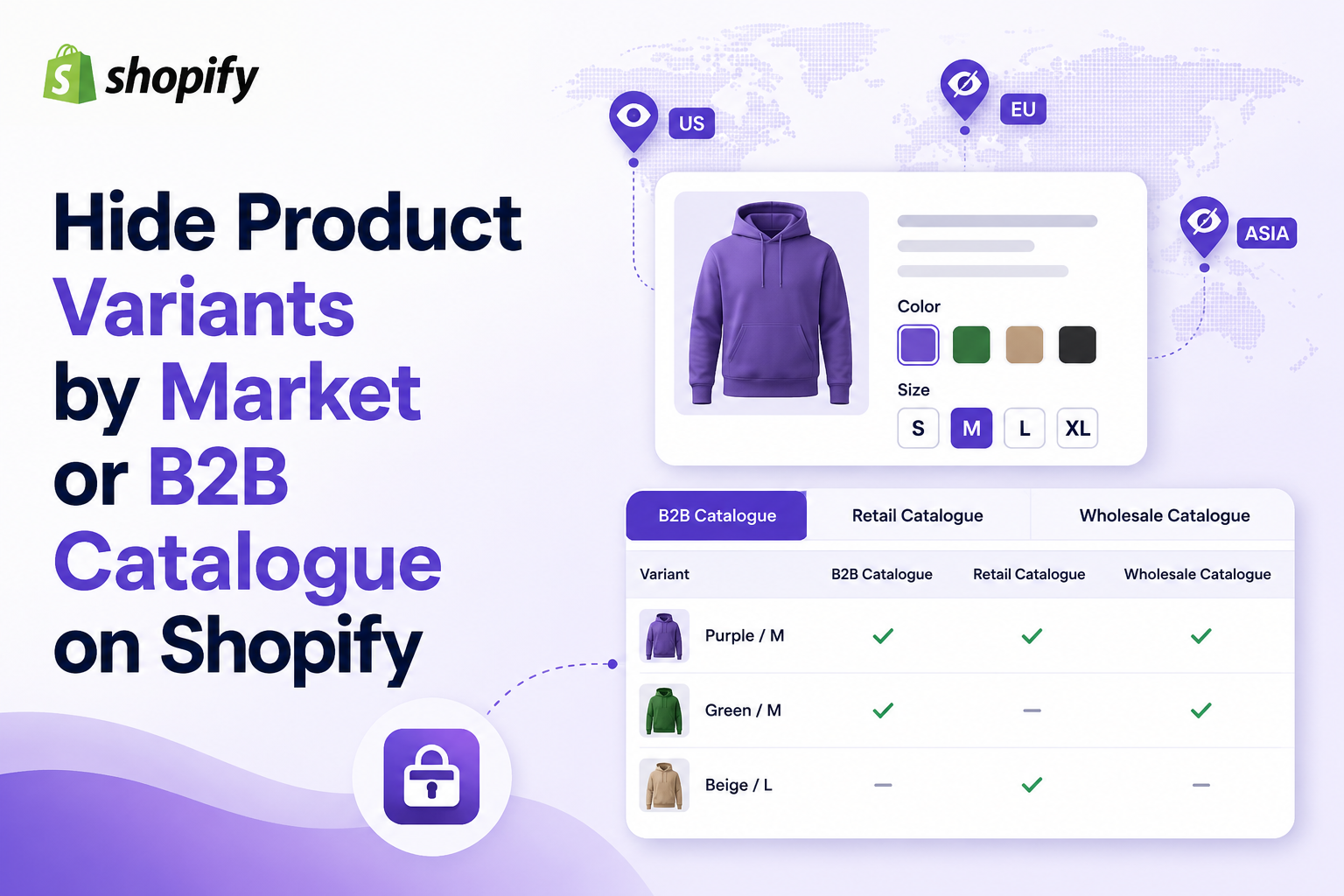
Shopify released variant-level publishing on 7 May 2026. It lets merchants hide product variants by market or B2B catalogue and control where each product variant appears across sales channels. You can hide a wholesale case pack from retail shoppers or limit a country-specific SKU to the correct market without duplicating the product.
In this quick guide, we will learn how to hide product variants by market or by B2B catalogue on your Shopify store.
What Is Variant-Level Publishing on Shopify?
A product may contain several sizes, colours, pack quantities, or regional versions. Variant-level publishing controls which options a buyer can see.
For example, one coffee product could contain a 250-gram bag, a 1-kilogram bag, and a 12-pack case. The smaller packs can remain available to retail customers while the case pack appears only to B2B buyers.
An unpublished variant is hidden from the selected channel or catalogue. This is different from an out-of-stock variant, which may still appear on the product page.
Where Can You Control Variant Availability?
Shopify can apply variant publishing across three main types of selling contexts.
| Selling context | What it controls | Wholesale example |
| Sales channel | Where the variant is sold | Make a limited SKU available on the online store but not another sales channel |
| Regional market | Which geographic market can access it | Sell a UK plug variant in the United Kingdom but not the United States |
| B2B catalogue | Which wholesale customers can access it | Show case-pack variants only to approved wholesale buyers |
These controls can work together. For example, a wholesale case pack may need to be published to the Online Store sales channel and a specific B2B catalogue. If the variant is unpublished from either required context, the buyer will not see it.
Steps to Hide Product Variants by Market or B2B Catalogue on Shopify
How to Hide Product Variants by Market on Shopify
Use regional catalogues to keep a variant out of a specific market. For example, a UK plug can appear in the United Kingdom while a US plug is shown in the United States.
- Open Products in your Shopify admin.
- Select the product you want to update.
- In Variants, click All or the publishing icons beside the variant.
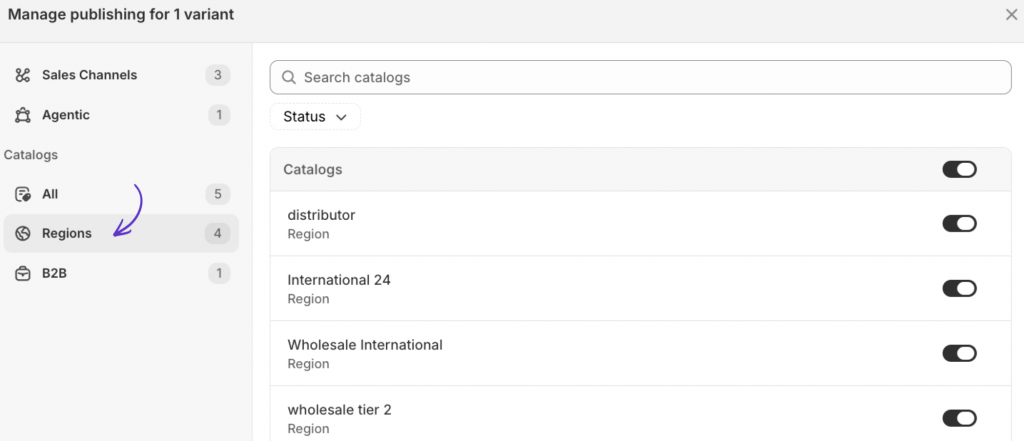
- In Manage publishing, find the relevant Region catalogs.
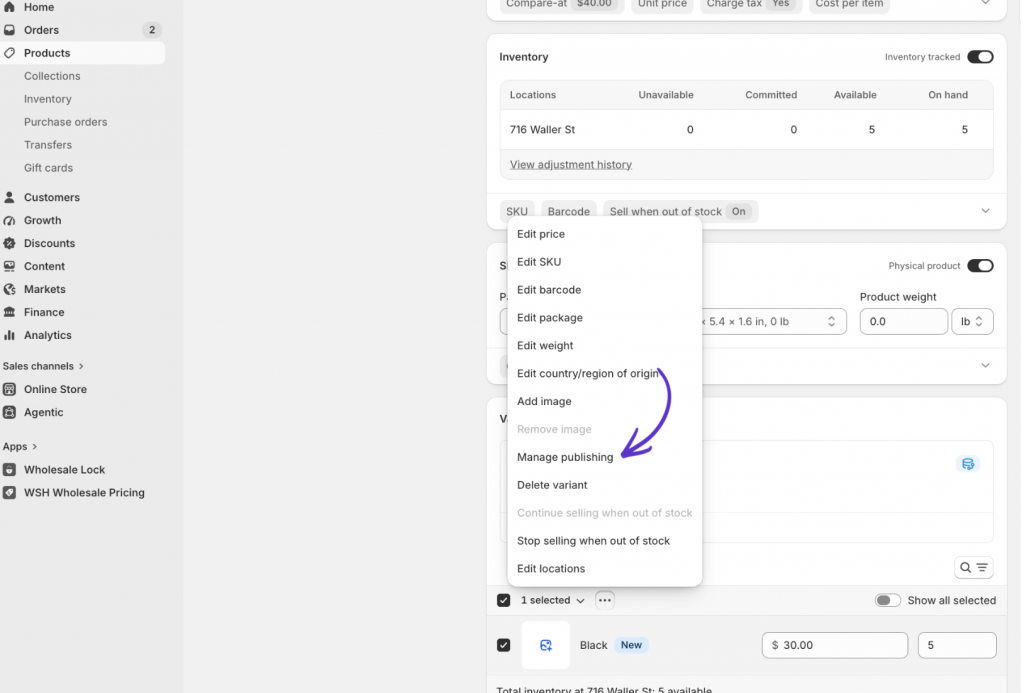
5. Deselect the market catalogue where the variant should be hidden.
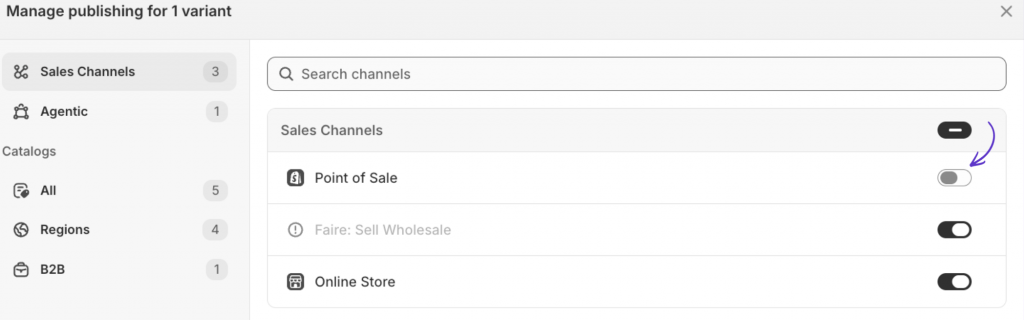
6. Click Done, then Save.
The parent product must remain published to the required channel and market. If every variant is unpublished from a catalogue, the complete product is hidden there.
How to Hide Product Variants by B2B Catalogue on Shopify
A common setup is to sell single units to retail customers and cartons of 12 or 24 to wholesale buyers.
- Publish the parent product to the Online Store and required B2B catalogue.
- Open Manage publishing for the wholesale case-pack variant.
- Unpublish it from the Region catalogs used by retail customers.
- Publish it to the appropriate B2B catalog.
- Log in with a B2B account and confirm that it appears.
The buyer must belong to a company location or B2B market that can access the selected catalogue.
Basic, Grow, and Advanced stores can assign up to three active catalogues across their B2B markets. Shopify Plus supports unlimited B2B market catalogues and direct assignment to company locations.
Variant Publishing vs Locking Store Content
Variant publishing controls where a product option is available. It does not provide complete customer-based access control across your storefront.
You may still need another setup if you want to:
- Hide product prices until a customer logs in
- Lock a collection or page
- Restrict content using customer tags
- Hide the add-to-cart button
- Create an application and approval process
- Show different store content to different customer groups
For these requirements, Shopify’s publishing controls may need to be combined with a private wholesale area or an access-control app.
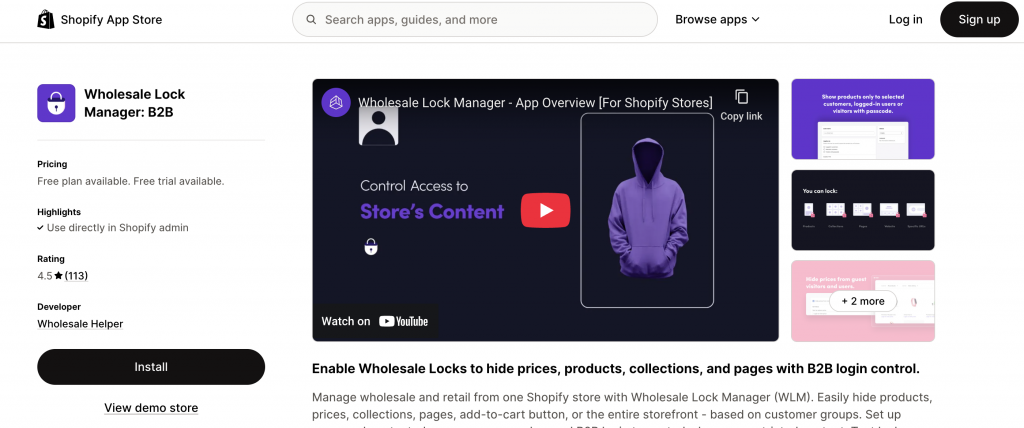
Wholesale Lock Manager B2B can hide products, collections, prices, pages, or purchase buttons based on login status and customer tags. This is useful when the restriction goes beyond the availability of one product variant.
Summary
Shopify variant-level publishing gives wholesale stores better control over individual SKUs without requiring duplicate products or theme workarounds.
You can use it to hide wholesale case packs from retail buyers, limit regional variants, prepare new SKUs, or offer channel-specific product options. The main product and the variant must both be published to the correct context, so testing each buyer and market experience is important.
For stores that also need private pricing, locked pages, customer-tag access, or approval workflows, variant publishing can be combined with a broader wholesale access-control setup.
Frequently Asked Questions
Can I hide one Shopify variant without deleting it?
Yes. You can unpublish an individual variant from selected sales channels or catalogues while keeping it in your Shopify admin.
Can I show a variant only to wholesale customers?
Yes. Publish the parent product and the variant to the required B2B catalog, then exclude the variant from the regional catalogues used by retail customers.
Can I publish a Shopify variant only in one country?
You can control variant availability through the catalogue associated with the relevant regional market. For example, you could publish one plug type for the United Kingdom and another for North America.
Can Shopify automatically publish a variant on a future date?
Shopify does not currently support scheduling a publishing date for an individual variant. The variant needs to be published manually or managed through a suitable custom workflow.
Is hiding a variant the same as making it out of stock?
No. Inventory determines whether a variant has stock available. Publishing determines whether the variant is displayed in a particular sales channel or catalog.
Do I need Shopify Plus to use B2B catalogs?
Core B2B catalogue features are available on Basic, Grow, and Advanced, but those plans are limited to three active catalogues assigned through B2B markets. Shopify Plus supports unlimited catalogues and direct catalogue assignment to company locations.