Key Takeaways
- Shopify Markets helps merchants manage international and customer-specific selling experiences from one place.
- Markets can be used for regions, countries, retail groups, and B2B customer groups.
- You can customize currencies, product catalogs, languages, domains, taxes, duties, discounts, and some storefront experiences by market.
- Processing payments in multiple currencies is available only when using Shopify Payments or Adyen as the payment processor.
- Shopify now calls the advanced cross-border solution Managed Markets, not just Markets Pro.
- Shopify B2B is now available on Basic, Grow, Advanced, and Plus, but limits vary by plan. Basic, Grow, and Advanced support up to 3 B2B catalogs across B2B markets, while Plus supports unlimited B2B market catalogs.
- Shopify Markets is useful, but merchants still need to plan shipping, duties, product availability, pricing, and local compliance carefully.
In today’s world, creating an e-commerce store has become easy with platforms like Shopify, Woocommerce, Wix, Magento, etc. However, there’s one thing that e-commerce store owners have often struggled with, i.e. expanding their e-commerce business to other countries. Understanding this need, Shopify launched Shopify Markets to help merchants sell globally from their Shopify stores.
Shopify Markets simplifies managing international sales by handling currency adjustments, language differences, and local regulations all in one platform. In this article, we will see what Shopify Markets is, what are some of its key features, and how you can start selling globally with the Shopify Markets integration.
What is Shopify Markets?
Shopify Markets is a feature offered by the Shopify platform that enables e-commerce businesses to enter new geographies and start selling their products globally. Launched in 2021, this feature helps Shopify merchants to ease the daunting process of international selling.
It has a centralized feature set that tackles major issues like currency conversions, legal compliance, local payment methods, language translations, automated tax and duty collections, etc. It’s quick to enable and set up in any Shopify store.
Related Article: Shopify Multicurrency – Offer Localized Experience
Key Features of Shopify Markets
Now that we know what Shopify Markets is let’s look at the key features that it offers which allow Shopify store owners to tap into new markets.
#1 Multicurrency with Shopify Markets
Shopify Markets lets merchants show prices in local currencies for different markets.
This can make the buying experience easier for international customers because they do not need to calculate prices in another currency before checkout.
However, this depends on your payment setup. However, processing payments in multiple currencies is available only to stores that use Shopify Payments or Adyen as their payment processor.
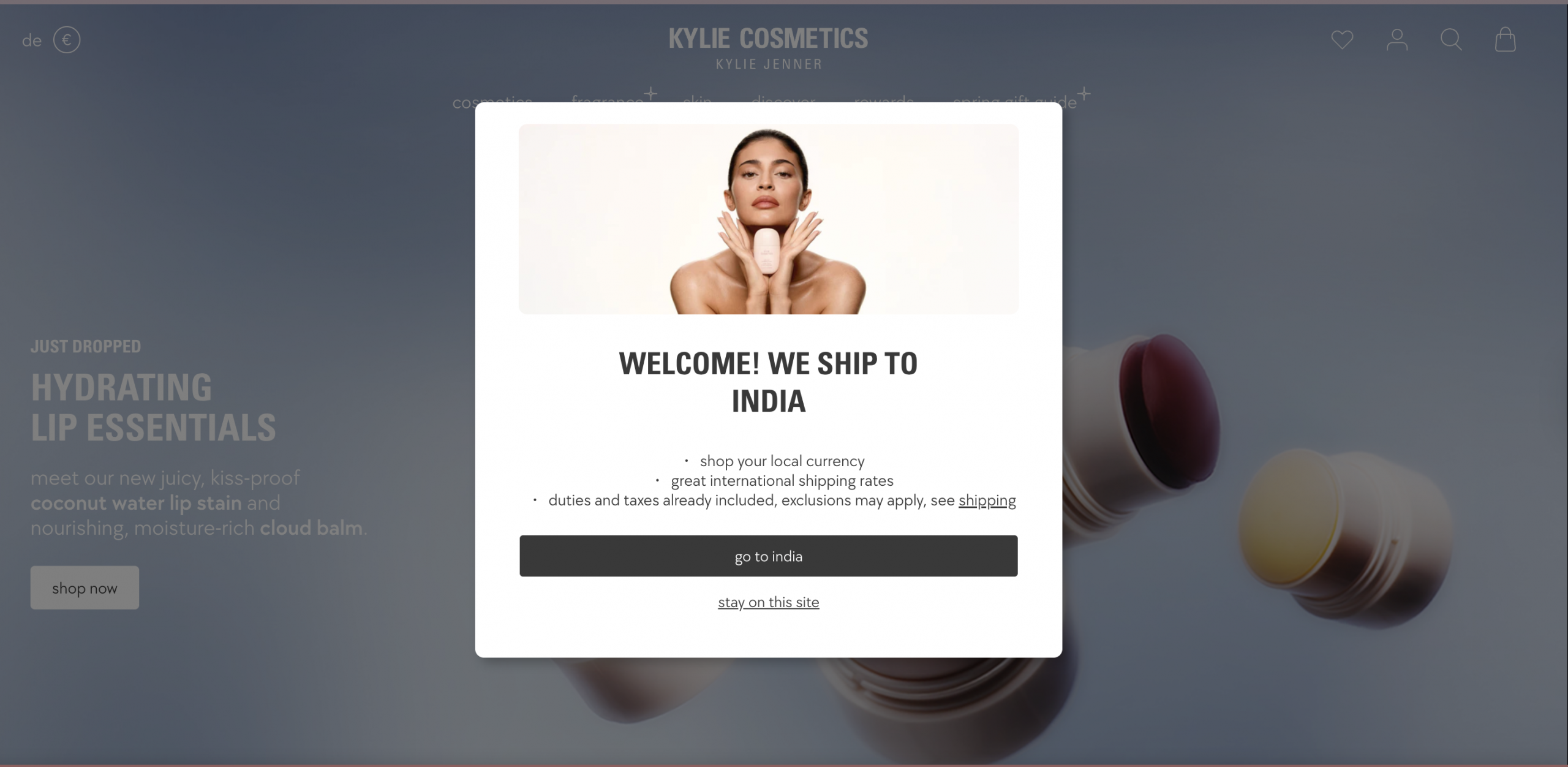
Shopify Markets automates the currency conversion process and reduces the manual work and errors associated with currency conversion. This automation ensures that the prices displayed are always accurate according to the latest exchange rates and ensures price consistency and seamless user experience irrespective of location.
#2 Language Localization using Shopify Markets
Shopify Markets can help you manage languages for different markets, but it does not mean every part of your store is automatically translated perfectly.
You can add languages from Settings > Languages and manage market-specific languages from the Markets section of the Shopify admin. Shopify says market-specific language settings require international domains, subfolders, or subdomains. If international domains are not set up, the same language settings apply across active markets.
With 3rd party apps like Shopify Translate & Adapt, one can quickly ensure that their Shopify store’s content is translated automatically as per the customer’s location.
#3 Domain Localization in Shopify Market
When your store is operational across different geographies, it becomes crucial to ensure that both the customers and search engines can find and access the right language version. Shopify Markets automatically sorts this by creating unique URLs for each geographical version of your store when you publish a language.
For example: Let’s say, your primary domain URL is store.com and you decide to add Spanish and Chinese versions on your site, then Shopify will automatically generate URLs for the like store.com/es for Spanish and store.com/zh for Chinese (Mandarin).
#4 Payment Localization
Shopify Markets goes a step ahead to personalize the user experience of the customer as per their location. It allows e-commerce store owners to offer local payment methods that are prominently used in their customers’ respective markets.
However, only stores having Shopify Payments enabled can process payments in the local currency of the customer.
This customization ensures that the checkout process feels more personal and trustworthy and also increases the conversion rate of the store since customers are more likely to proceed with a purchase when they see familiar payment methods.
#5 Tax Management Setting in Shopify Markets
Many Shopify store owners find complex tax and duty regulations intimidating, especially when selling internationally. Store owners must understand and comply with the policies of different regions. This is surely a big hassle if handled manually but again, Shopify Markets automates the entire process of tax and duty management.
At the checkout stage, Shopify shows all the taxes and duties that are applicable as per the region’s rules. This ensures that customers are fully aware of the amount that they are paying and that merchants are able to manage their sales operations easily.
Related Article: Shopify VAT – For US, EU, UK & non-EU Businesses
#6 Pricing Localization
With Shopify Markets, store owners can also set different prices for products for different geographies. For instance, if you are selling in the USA and Canada, you can set prices in USD for customers in the United States and AUD prices for customers in Australia.
Shopify store owners can easily set these prices using a CSV file, which is super helpful if you have a lot of products and want to update their regional prices in bulk.
Pros and Cons of using Shopify Markets
| Pros | Cons |
|---|---|
| Helps manage international selling from one Shopify store | Still needs careful setup for shipping, taxes, duties, and product availability |
| Supports local currencies, languages, domains, and market-specific settings | Some features depend on Shopify plan and payment provider |
| Can create regional, retail, and B2B markets | Theme and checkout customization by market is limited on lower plans |
| Catalogs can be used for product availability and pricing by market | More markets can make pricing and operations harder to manage |
| Useful for global wholesale and B2B expansion | Tax and duty settings should still be checked carefully |
| Can reduce the need for separate country-specific stores | Not every local payment method or workflow is available in every country |
How to set up Shopify Markets in your store?
STEP 1: Sign in to your Shopify account with admin credentials.
STEP 2: Go to Markets in the left panel.
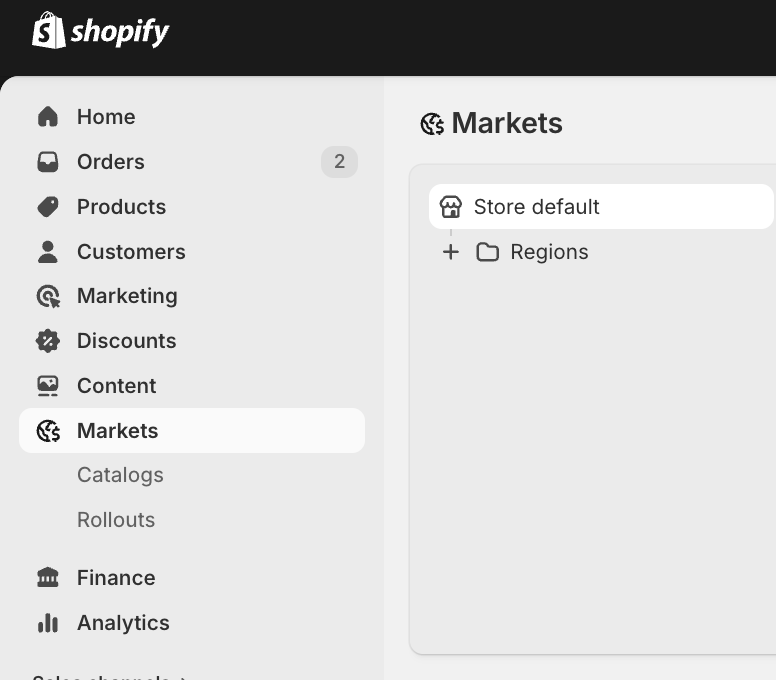
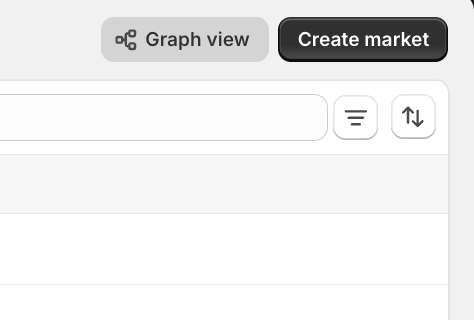
STEP 3: Click Create market or Add market, depending on your admin layout.
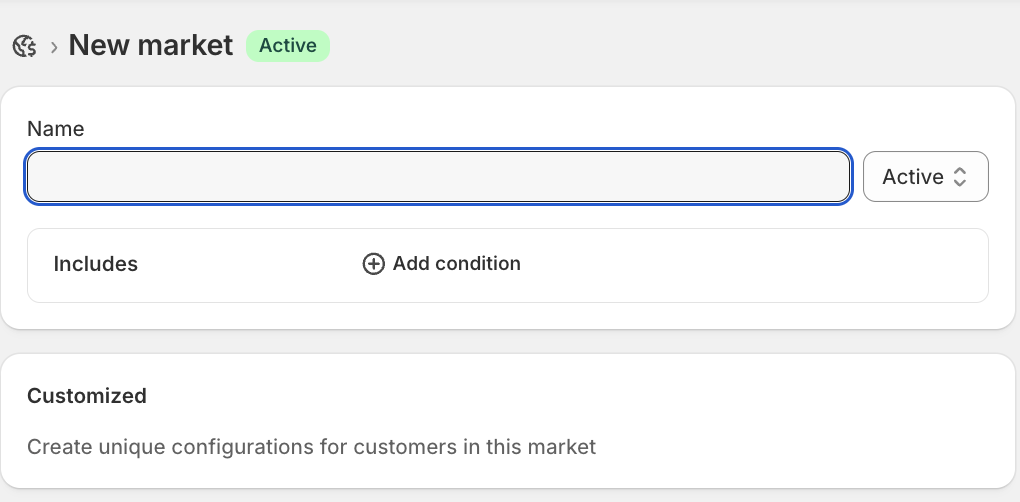
STEP 4: Enter a market name, such as United Kingdom, Europe, Canada, or Australia.
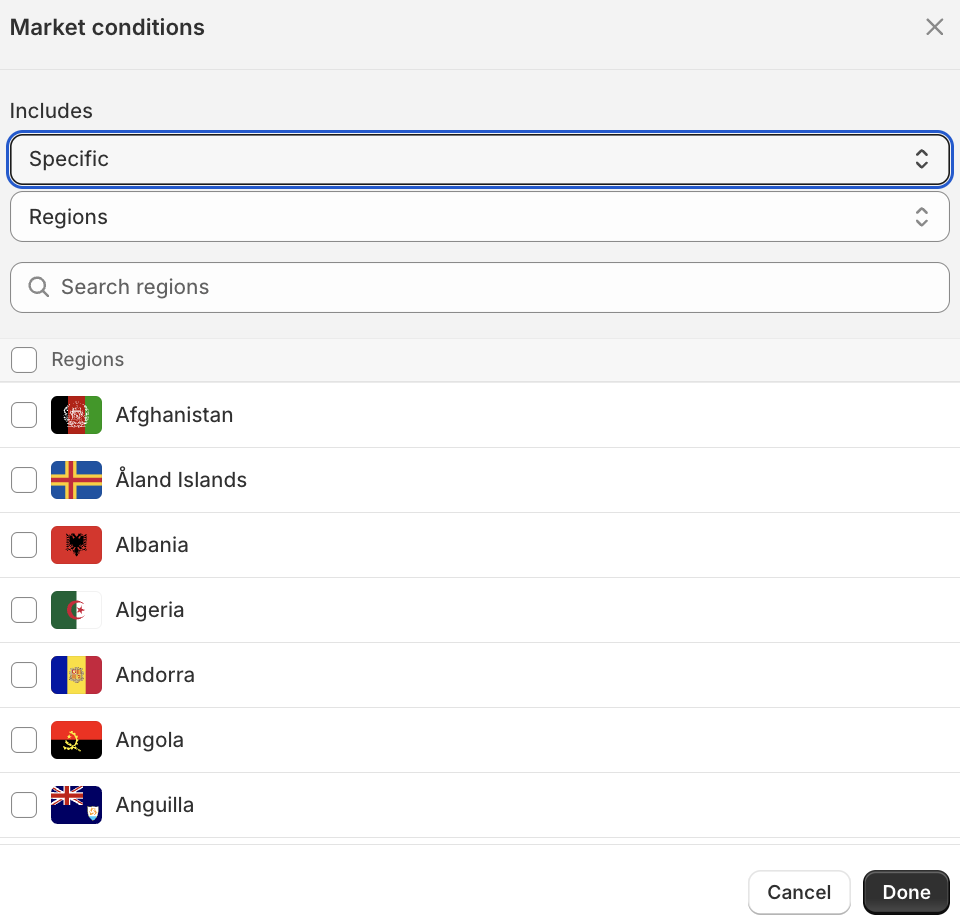
STEP 5: Select the country, region, or customer group for that market.
STEP 6: Save the market.
That’s it! Your Shopify Market is live and now you can configure and control all the Language and Domains, Product Pricings, Taxes, Shipping Rules, and payments from the dashboard.
What is the cost of setting up Shopify Markets?
Creating basic region markets is available across Shopify plans, but the real cost depends on the features you use.
You may need to consider:
- Shopify plan cost
- Shopify Payments processing fees
- Currency conversion fees
- Duties and import tax calculation fees
- International shipping costs
- Translation app costs
- Domain costs
- Compliance and tax support
- Managed Markets fees, if you use Managed Markets
For duties and import taxes, the transaction fee for calculating duties and import taxes has been temporarily lowered to 0.5% from February 2, 2025. Outside the temporary reduction, the fee is 0.85% for stores using Shopify Payments as the gateway and 1.5% for stores using other payment providers.
For Managed Markets, Shopify currently lists a transaction fee of 3.5% for Basic, Grow, and Advanced stores, and 3.25% for Shopify Plus stores. Shopify also lists a 1.5% currency conversion fee and Shopify Payments processing fees that vary by plan and card type.
Shopify Markets vs Managed Markets
| Feature | Shopify Markets | Managed Markets |
|---|---|---|
| Best for | Merchants who want to manage international settings themselves | Merchants who want Shopify’s managed cross-border solution |
| Currencies | Supports market-specific currencies depending on payment setup | Supports international pricing with Managed Markets fee structure |
| Languages and domains | Can be configured by market | Can also be used with localized market setup |
| Product availability | Can be managed with catalogs | Can be managed as part of cross-border setup |
| Duties and import taxes | Merchants can collect duties and import taxes at checkout where supported | More managed approach to duties, tax, fraud, and cross-border complexity |
| Fees | Depends on payment, currency, duties, and apps used | Shopify lists transaction fee, FX fee, and Shopify Payments processing fee |
| Control | More merchant-managed | More Shopify-managed |
| Best fit | Stores testing or managing international expansion themselves | Stores that want more support with cross-border complexity |
How to sell wholesale globally using Shopify?
If you sell wholesale on Shopify and want to expand globally, Shopify Markets can help you manage different regions, currencies, catalogs, and pricing.
This is especially useful if your B2B buyers are in different countries and need different product availability, pricing, payment terms, or shipping rules.
In 2026, Shopify B2B is no longer limited to Shopify Plus. It is available on Basic, Grow, Advanced, and Plus. Basic, Grow, and Advanced can assign up to 3 active B2B catalogues across all B2B markets, while Shopify Plus supports unlimited B2B market catalogues, direct company catalogues, and advanced payment features like deposits and partial payments.
Native Shopify B2B can help with companies, catalogs, payment terms, purchase orders, quantity rules, and B2B markets.
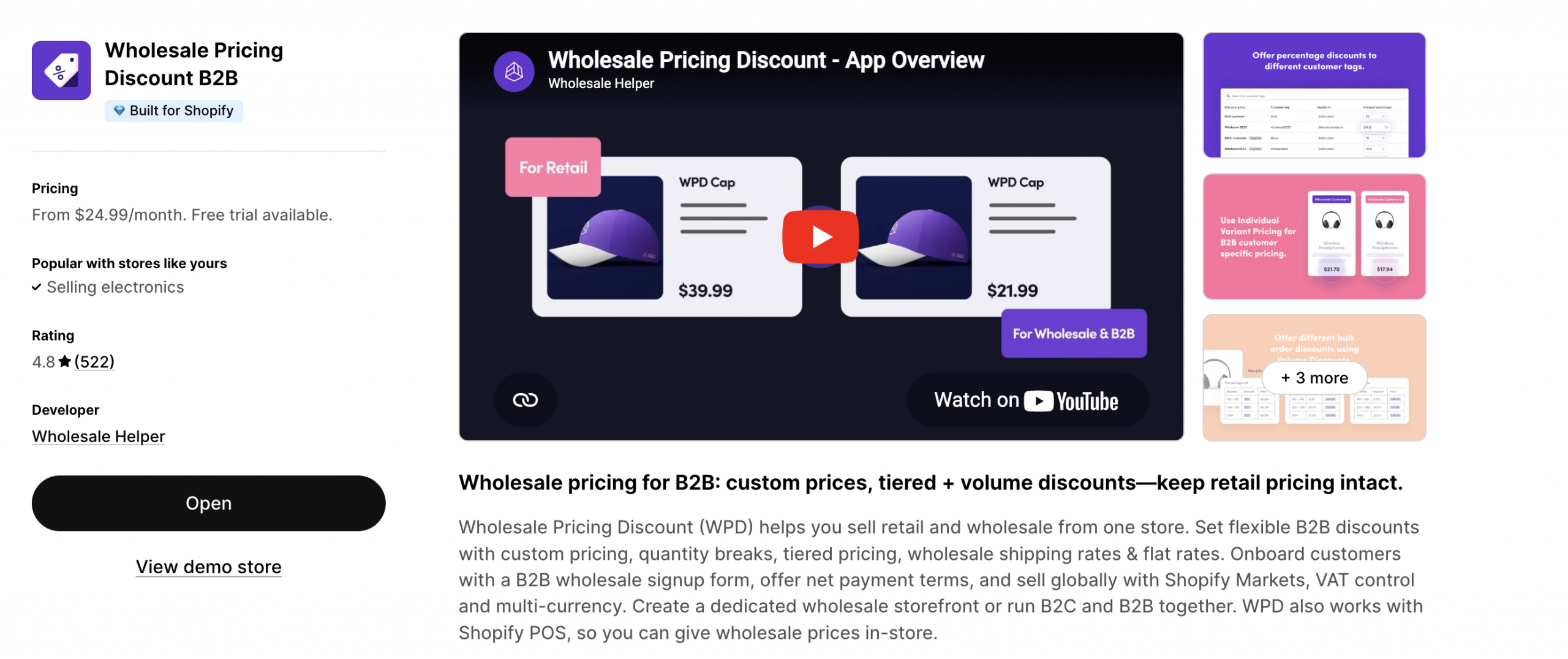
Shopify wholesale apps like the Wholesale Pricing Discount B2B are still useful when you need more storefront control, such as customer tag pricing, volume discounts, net payment terms, wholesale signup forms, and more. It is also one of the few wholesale apps on Shopify that works seamlessly with Shopify Markets.
Summing up
Shopify Markets is useful if you want to sell internationally from one Shopify store. It helps you manage different countries, regions, currencies, domains, languages, catalogues, duties, taxes, and some customer-specific experiences.
But international selling still needs careful planning. Before launching a new market, check product availability, local currency, shipping rates, duties, taxes, payment options, translation quality, return policy, and customer support expectations.
For wholesale and B2B merchants, Shopify Markets is also becoming more important because B2B catalogs are now assigned through Markets on non-Plus plans. That means Markets is not only about international selling anymore. It can also support different buyer groups and B2B experiences inside Shopify.
Start with one or two important markets. Test the buying experience properly. Then expand once the setup is working.
When native B2B is not enough, Wholesale Pricing Discount B2B is the next step.
Try our Wholesale Pricing Discount B2B app for free !
Trusted by over 16,000 Shopify merchants
Frequently Asked Questions
What is Shopify Markets?
Shopify Markets is a Shopify feature that helps merchants create different selling experiences for different countries, regions, and customer groups. A market can control settings such as currency, product catalog, pricing, domains, languages, duties, taxes, and discounts.
Is Shopify Markets free?
Creating region markets is available across Shopify plans, but some features and costs depend on your plan, payment provider, currency settings, duties, taxes, translation tools, domains, and whether you use Managed Markets.
What is the difference between Shopify Markets and Managed Markets?
Shopify Markets lets merchants manage international selling settings themselves. Managed Markets is Shopify’s more managed cross-border solution with additional support around duties, tax, fraud, payment processing, and cross-border complexity. Managed Markets has its own transaction fee, FX fee, and Shopify Payments processing fee structure.
Can Shopify Markets show prices in local currency?
Yes, Shopify Markets can show prices in local currencies. But processing payments in multiple currencies is available only when using Shopify Payments or Adyen.
Can I translate my store for different markets?
Yes. You can add languages in Shopify and manage languages for markets from the Markets section. Shopify says market-specific language settings require international domains, subfolders, or subdomains.
Can I set different prices for different markets?
Yes. Shopify Markets supports market-specific pricing through currencies, price adjustments, fixed prices, and catalogs. Shopify’s catalog docs also explain that fixed product prices in a catalog override overall price adjustments.