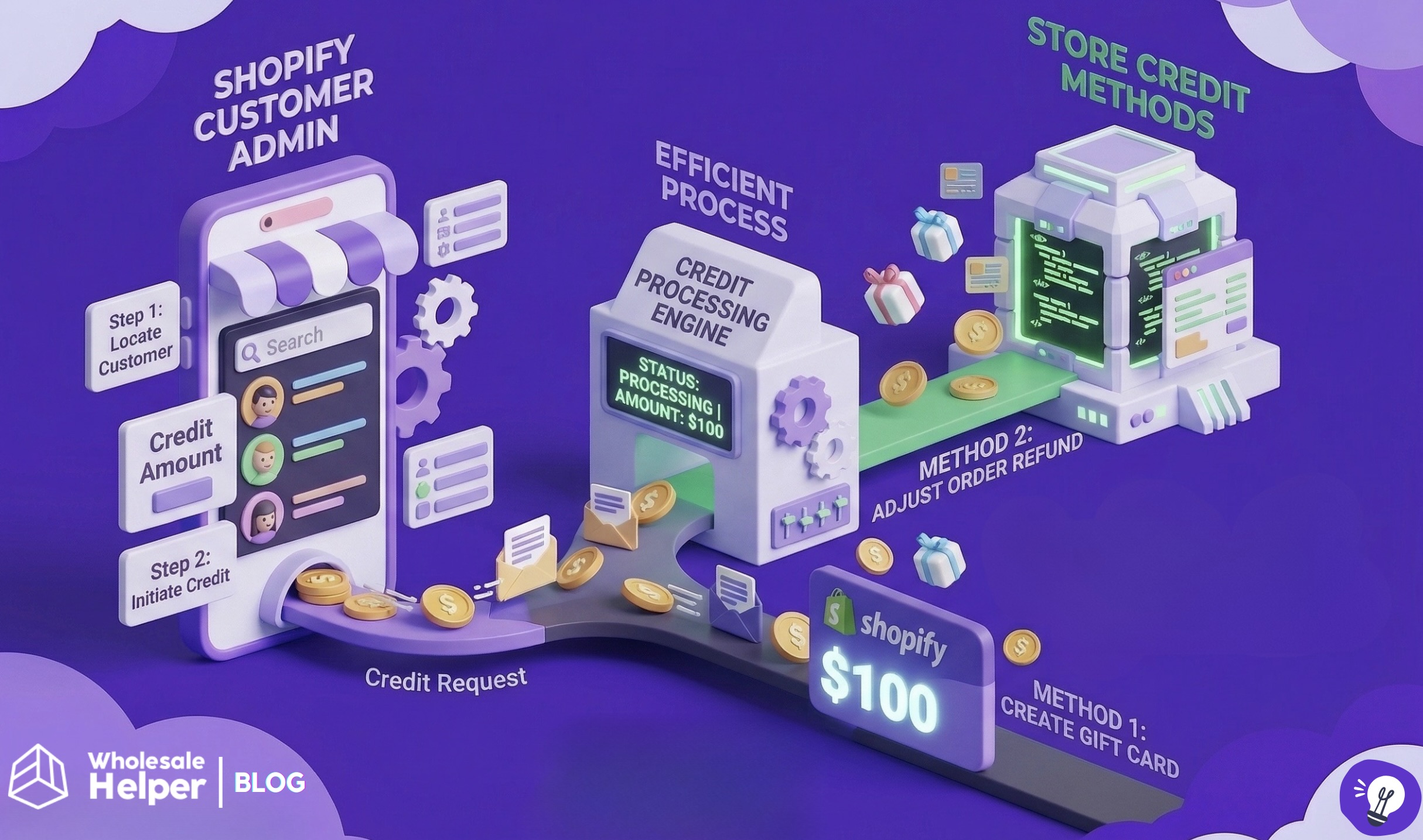
Key Takeaways
- Shopify has a built-in store credit feature that handles most basic use cases without any app.
- Store credits in Shopify only works with new customer accounts, not legacy ones.
- For B2B, store credit is tied to a company location, not individual buyers.
- Store credit only appears at checkout when the buyer is signed into their customer account. It won’t show up for guest checkouts.
- You can only issue store credit up to $15,000 per D2C customer account, or $10,000 per B2B company location.
- Partial use is not supported. When a customer applies their credit, the full available balance is used.
Shopify store credit is built in. You can issue it straight from any customer profile in your admin, and no app is required to get started. That said, how it actually works varies depending on whether you’re dealing with B2B or D2C customers, and there are a handful of limits worth knowing before you build any process around it.
This guide will cover explain you how to issue store credit in Shopify store.
What is Shopify Store Credit?
Store credit is a spending balance attached to a specific customer account in your Shopify store. When that customer is signed in and reaches checkout, the credit appears as a payment method they can apply to their order. It is account-bound. In other words, it is just a running balance that Shopify tracks automatically against that profile.
The practical difference from a gift card is that store credit belongs to one person and one person only. It cannot be passed on or shared. A gift card works differently as it’s a code, and whoever has that code can redeem it. For handling returns or rewarding specific customers, store credit is the more controlled option because the value stays with the right account.
One important requirement to flag before anything else is that store credit only functions with Shopify’s new customer accounts. Stores still running on the older legacy account setup will find that the feature simply doesn’t surface for buyers. Switching to the new accounts is a necessary first step if you haven’t done it already.
How to Enable Store Credit on Shopify
Store credit is switched on by default for stores using new customer accounts, but it’s worth confirming it’s active before you start issuing anything.
Head to Settings, then open Customer accounts in your Shopify admin. You’ll see a Store credit toggle in that section. If it’s off, turn it on. This is what controls whether the credit balance shows up as a payment option when your customers reach checkout.
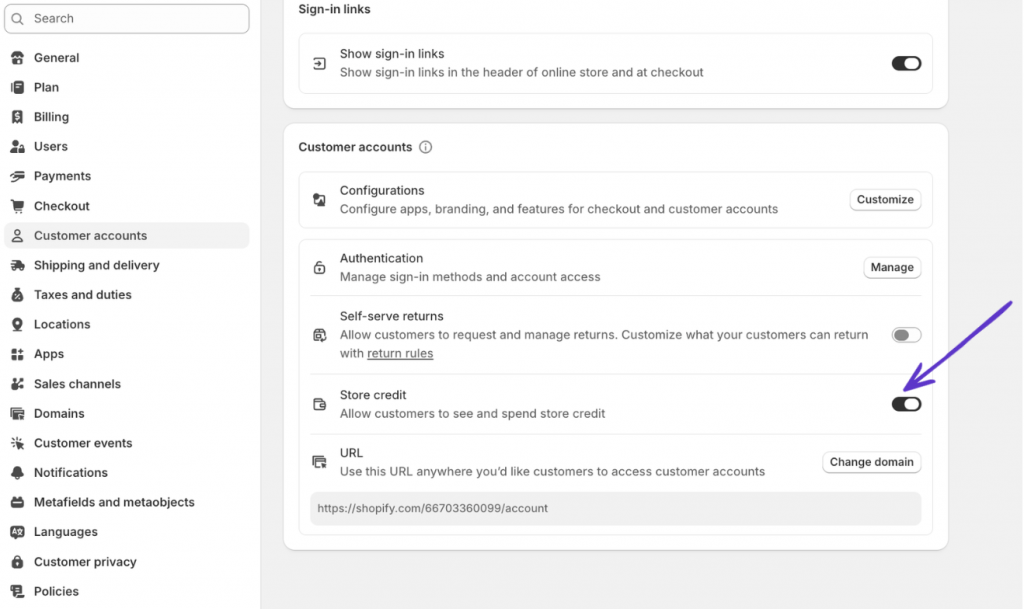
If you also use Shopify POS, the in-store and online settings are managed independently. That said, store credit cannot be switched on for POS unless it’s already active for your online store.
How to Issue Store Credit to a Customer (D2C)
The process takes less than a minute once you know the right path in your admin.
- Go to the Customers section in your Shopify admin
- Pull up the profile of the customer you want to credit
- Find the Store credit panel on the profile page and open it for editing
- Under the Adjustment type, choose Credit
- Type in the amount. If your store supports multiple currencies, pick the right one from the currency menu before saving
- Set an expiry date if you want this particular credit to lapse after a certain point, or leave it blank for no expiry
- Tick Notify customer if you’d like Shopify to send them an email letting them know credit has been added. The email template itself can be customised under Customer notifications.
- Hit Save to confirm
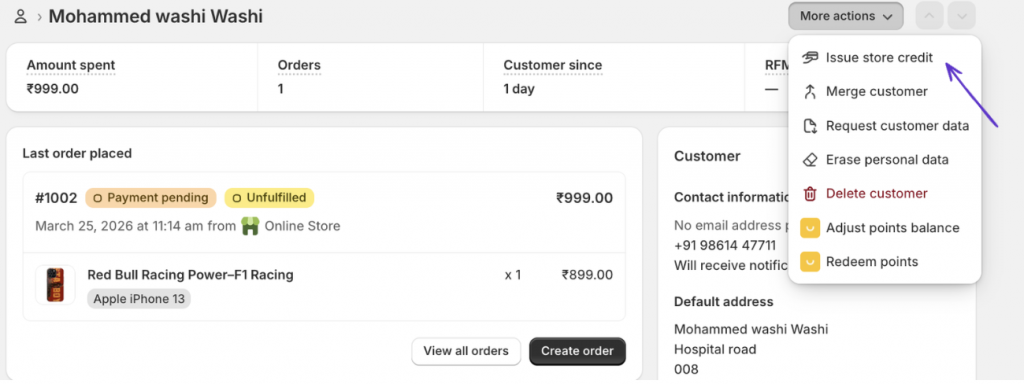
The credit will appear in the customer’s Store credit section and gets logged in their customer timeline. Once it’s there, they’ll see it as a payment option the next time they check out while signed in.
One thing that catches merchants off guard is that customers cannot choose to apply only part of their store credit. When they opt to use it, the full available balance is applied. If their order total is less than their credit, the remaining balance stays on the account. You can issue up to $15,000 in store credit per individual customer account.
How to Issue Store Credit for B2B Customers
The B2B side of store credit follows a different logic, and the distinction matters practically.
For B2B, store credit is not issued to individual buyers. It’s issued to a company location, and all B2B customers assigned to that location share the credit balance. So if you issue $500 to Acme Corp’s London location, any buyer associated with that location can apply it at checkout.
Here’s how to do it:
- In your Shopify admin, navigate to Customers, then open Companies
- Select the company account you want to add credit to
- Inside that company record, go to the Locations section and pick the specific location
- Open the Store credit panel for that location
- Choose Credit, fill in the amount, set a currency if your store is multi-currency, and add an expiry if needed
- Hit Save
A few things specific to B2B store credit worth keeping in mind:
- The limit per company location is $10,000, which is lower than the D2C limit
- B2B customers can only use this credit on the B2B storefront, not on your D2C store
- If you add store credit to an individual B2B customer’s personal account, they can only use it on the D2C store, not the B2B one
- If you run a blended store, store credit is active for both D2C and B2B. You can’t activate it selectively for one and not the other
For staff who need to manage this, make sure the relevant team members have the Edit store credit and View store credit transactions permissions enabled in their staff account settings.
When Does Store Credit Actually Make Sense to Use?
Store credit fits naturally in a few situations.
Returns and exchanges. Instead of sending money back to the original payment method, you credit the account and the value stays in your store. The National Retail Federation puts the average retail return rate at around 16.9%, so if your store handles a decent volume of returns, this can make a real difference to cash flow. Just be upfront about your policy. Some customers will always want their money back, and surprising them with store credit instead of a refund creates more friction than it saves.
Goodwill gestures. When something goes wrong , like a damaged order, a fulfilment error, a poor experience, then a store credit is a low-effort way to acknowledge it without processing a full refund. It’s not a perfect substitute for fixing the underlying issue, but as a gesture it lands well with most customers.
Loyalty and retention. Not every store needs a full points program. A simple credit-based reward, like spend a certain amount, get credit back, is easier to set up and easier for customers to understand. The balance tracks automatically in the admin, so there’s no separate system to maintain.
B2B accounts. Wholesale buyers tend to order regularly, which means any credit sitting on a company location actually gets used. If there’s been an order issue, or you want to offer an account-level incentive, store credit is cleaner than chasing it through invoices or manual adjustments.
Things to know before building any workflow around store credit
The following limitations apply to Shopify’s native store credit and are worth reviewing before you start relying on it heavily.
- Requires new customer accounts. The feature is invisible to buyers still on the legacy account system. If your store hasn’t migrated yet, they won’t see any credit at checkout regardless of how much you’ve issued.
- Full balance only. Shopify applies the entire available balance when a customer chooses to pay with credit. There’s no option for the buyer to use a partial amount from their total.
- Currency-matched. Credits issued in USD only appear during USD checkouts. In a multi-currency store, the balance shown at checkout will only reflect credits that match the active checkout currency.
- Account-bound. Credit cannot be moved between customer accounts or between company locations. Each balance lives where it was issued and stays there.
- Multiple expiry dates. When a customer holds credits with different expiry dates, Shopify draws from the one expiring soonest. Worth keeping in mind if you’re issuing credits at different points in time.
- No subscription orders. Store credit applies to a first-time subscription purchase but won’t carry through to recurring billing cycles.
Managing Store Credit in Bulk or at Scale
Shopify’s built-in tools are manual by design. You issue credit one customer at a time, which works fine if you’re doing it occasionally, but gets tedious fast when you’re running promotions or managing credits across a large customer base.
For B2B merchants, store credit is just one part of managing a wholesale account properly. If you’re also dealing with custom pricing, net payment terms, and buyer approvals, it helps to have those things running in one place rather than stitched together. That’s where Wholesale Helper apps fits in. It handles the B2B layer on Shopify so you’re not managing each piece separately.
Frequently Asked Questions around store credit in Shopify
Does store credit work on Shopify POS?
Yes. POS store credit is managed through a separate toggle from your online store settings, so you can control each independently. The one rule is that POS acceptance cannot be switched on unless the feature is already active for your online store.
Can a customer see their store credit balance?
Yes. When they sign into their account, the balance is visible from their account dashboard and automatically surfaces as a checkout payment option on their next order.
What’s the difference between store credit and a gift card on Shopify?
Store credit sits on a specific customer’s account and stays there. Only that person can use it. A gift card is a shareable code, whoever holds the code can redeem it, regardless of who it was originally purchased for. For returns and account-specific rewards, store credit is the cleaner fit. For gifting or general promotions, gift cards make more sense.
Can I issue store credit during a refund?
Yes. The refund screen in Shopify gives you the option to return the value to the customer’s original payment method or credit their account instead. Defaulting to store credit during your refund process is one of the more straightforward ways to keep that revenue inside the business.
Do customers get notified when store credit is issued?
Only if you check the notification option while issuing it. Shopify doesn’t send anything automatically. You can edit what that email says by going into your Customer notifications settings.
Can B2B buyers use store credit issued to their personal account?
A B2B buyer’s personal account credit and their company location credit are completely separate. Credit added to a personal account works on the D2C storefront only. Credit issued to a company location is for B2B orders only. Neither carries over to the other context.
Is there a way to issue store credit to multiple customers at once?
Shopify’s admin doesn’t support bulk credit issuance natively. To add credit across a large customer list, you’d need to use the Shopify API or a third-party app built for that purpose.
Ready to impress your B2B customers? Start wholesaling like a pro! 🙂
Try our Wholesale Pricing Discount app for free !
Trusted by over 15,000 Shopify merchants