Key Takeaways
- Shopify multicurrency is now mainly handled through Shopify Markets and local currency settings.
- To let customers actually check out in their local currency, stores generally need Shopify Payments or Adyen.
- If you use another payment provider, customers may see local prices on the storefront, but checkout can switch back to your store currency.
- Markets can help merchants customize currency, products, domains, languages, discounts, duties, and taxes for different countries or customer groups.
- For wholesale or B2B stores, multicurrency needs extra planning around bulk pricing, discounts, net terms, taxes, and shipping rules.
Selling internationally is easier on Shopify today, but currency still needs to be set up carefully. Customers may browse from different countries, compare prices in their local currency, and expect checkout to feel familiar.
Shopify handles this through Shopify Markets. Markets let merchants create different selling experiences for different countries, regions, or customer groups. This can include local currency, product availability, domains, languages, duties, taxes, discounts, and market-specific pricing.
In this guide, we’ll explain how Shopify multicurrency works in 2026, when customers can check out in their local currency, how to set it up through Markets, and what wholesale stores should keep in mind before selling internationally.
What is Shopify Multicurrency?
Shopify multicurrency lets merchants show prices and, when supported, accept payments in a customer’s local currency.
In 2026, this is managed through Shopify Markets. A merchant can create markets for different countries or regions, then customize currency, product availability, domains, languages, duties, taxes, and pricing rules for those markets.
The important part is checkout. If the store uses Shopify Payments or Adyen, eligible customers can pay in their local currency. If the store uses another third-party payment provider, prices may display in the local currency on the storefront, but checkout can convert the order back to the store’s default currency.
What type of stores should have Shopify multicurrency enabled?
Shopify Multicurrency feature helps you grow and scale your store internationally. Let’s look at the type of Shopify stores that must leverage this amazing feature.
1. Stores with a global customer base
If you are a Shopify store and you aim to sell your products or services to people from different parts of the world, enabling Shopify Multicurrency can help you create a personalized experience for your customers.
2. Niche product stores
Stores that sell unique or specialized products, like artifacts, often intrigue and attract an international audience.
3. Luxury goods stores
Certain online stores that sell luxury goods have customers that purchase high-end products and they expect a seamless and personalized shopping experience.
4. Seasonal stores
For businesses that see a surge in international traffic during specific seasons or holidays, such as Christmas or Black Friday, Shopify Multicurrency can help them capitalize during certain periods of the year.
5. Dropshipping stores
Stores that do dropshipping often source products from various international suppliers and sell to a global audience. Shopify Multicurrency can simplify transactions in different currencies and make it super easy for their customers to place orders from them.
6. Stores with high international traffic but low conversion rates
If your Shopify store’s analytics indicate that many international visitors do not complete the purchase, this could be because you are unable to provide them with the option to purchase in their own currency. For such stores, implementing the Shopify Multicurrency feature will increase their conversion rate.
Benefits of using Shopify Multicurrency
Using Shopify Multicurrency offers several benefits that can help online stores enhance their customer experience and expand their global reach. Here are some of the key advantages:
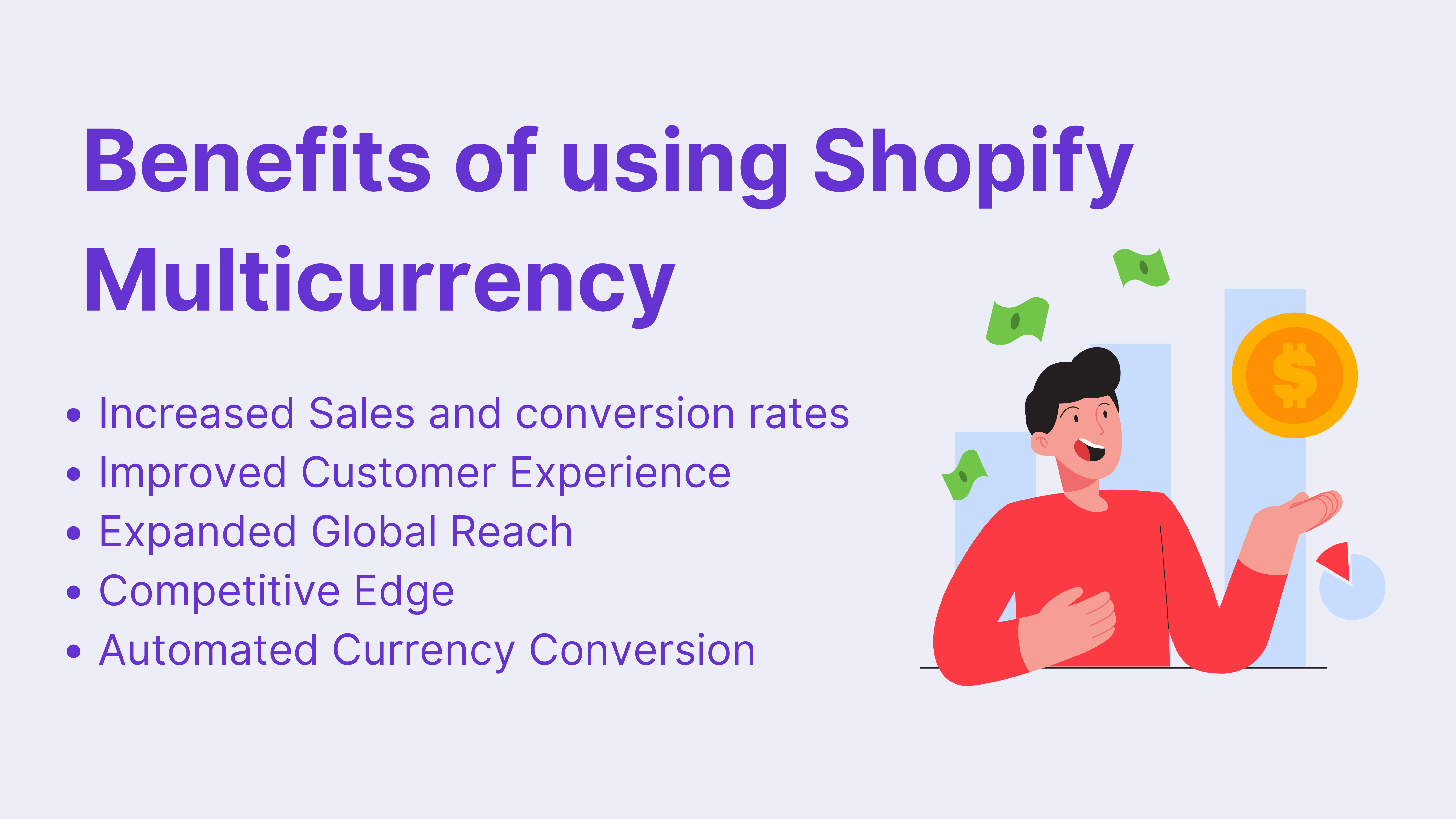
- Increased Sales and conversion rates: Offering prices in customers’ local currencies will encourage more people to complete their purchases since it eliminates the need for them to calculate exchange rates. This will increase your Shopify store’s conversion rate and will get more sales for your business.
- Improved Customer Experience: By displaying prices in the customer’s local currency, you make shopping more straightforward and transparent. This can reduce confusion and hesitation at checkout and ultimately lead to a smooth customer shopping experience.
- Expanded Global Reach: With Multicurrency, your store can attract and cater to customers from various countries. This broadens your market and allows you to tap into new customer segments that you might not have reached otherwise.
- Competitive Edge: Implementing Multicurrency can give you a competitive advantage over other stores that only sell in a single currency.
- Automated Currency Conversion: Shopify Multicurrency automatically updates exchange rates, which means the prices customers see are always current. This saves you a lot of time and effort as you don’t have to manually update prices and also reduces the risk of pricing errors.
How to enable Multicurrency/ local currencies in Shopify Markets?
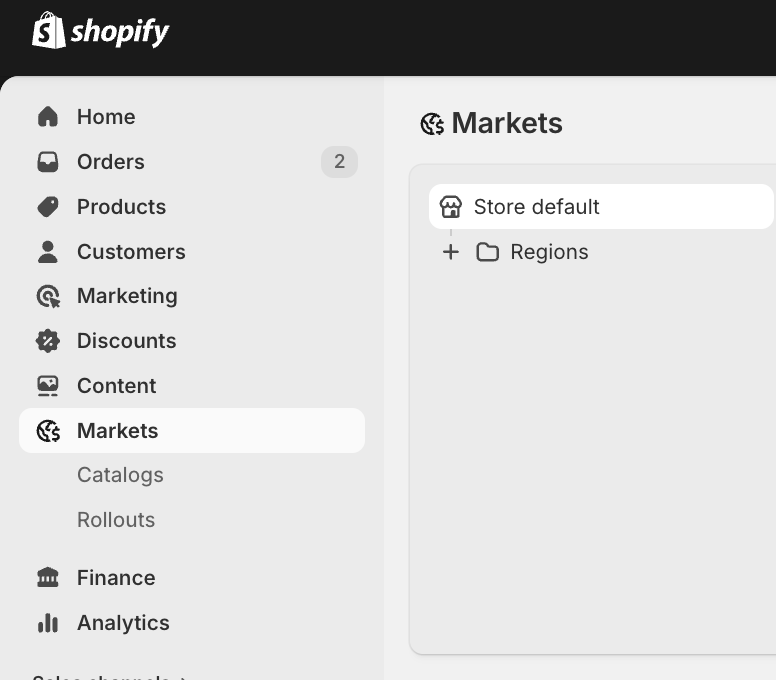
Step 1. From your Shopify admin, go to Markets.
Step 2. Create a new market or open an existing market.
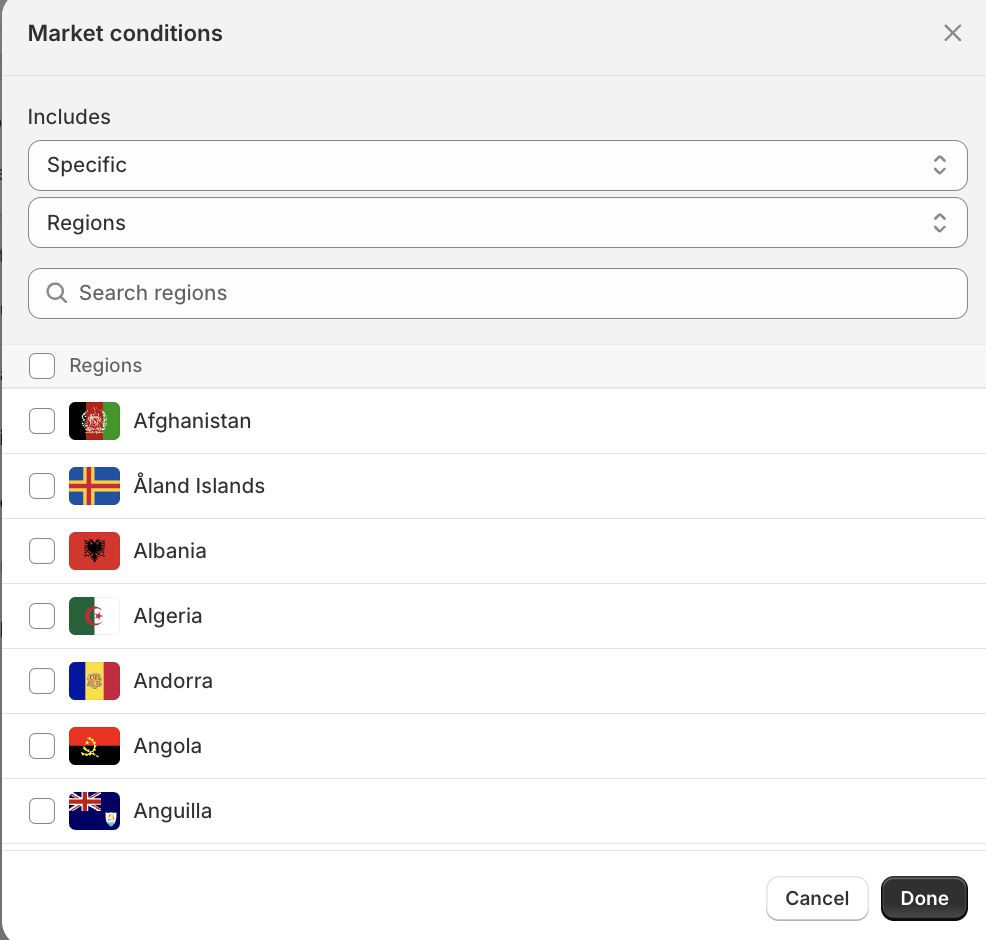
Step 3. Add the country or region you want to sell to.
Step 4. Review the market currency. Shopify can use automatic exchange rates, or you can set manual exchange rates for supported markets.
Step 5. If needed, use catalog pricing or price adjustments to control product prices for that market.
Step 6. Save the market and test the storefront and checkout experience for that country.
Before going live, test product pages, cart, checkout, discount codes, shipping rates, duties, taxes, and payment methods for that market.
What to do if Shopify Payments is not available in your country?
If Shopify Payments is not available in your country, you may not be able to process checkout payments in the customer’s local currency through Shopify Payments.
Shopify also supports local currency processing through Adyen, but Adyen on Shopify is mainly for enterprise businesses and has eligibility requirements.
If you use another third-party payment provider, customers may still see prices in their local currency on the storefront. But at checkout, the order can convert back to your store’s default currency. This can create confusion because the final payment amount may be different from what the customer expected.
You can still use Shopify Markets, market pricing, translations, domains, and third-party geolocation apps to improve the browsing experience. Just be clear about the checkout currency before customers reach the payment step.
Shopify Wholesale and Multicurrency
Wholesale stores need to be more careful with multicurrency because B2B pricing is usually more complex than normal retail pricing.
A wholesale buyer may have customer-specific pricing, volume discounts, net payment terms, special shipping rules, tax exemptions, or market-specific product availability. If the same buyer is ordering from another country, currency also affects quote clarity, discount value, payment collection, and accounting.
If you sell wholesale internationally on Shopify, check how your Shopify wholesale pricing app works with Shopify Markets. The setup should support local currencies, market-specific pricing, customer tags, login-based pricing, and discount rules without confusing the buyer at checkout.
Wholesale Pricing Discount B2B by Wholesale Helper can help Shopify merchants manage wholesale pricing, volume discounts, customer-based pricing, net terms, and Shopify Markets compatibility for international B2B selling.
Summing up
Shopify multicurrency is useful for stores that want to sell internationally, but it should be set up through Shopify Markets with a clear understanding of checkout behavior.
The biggest thing to check is whether customers can actually pay in their local currency. If your store uses Shopify Payments or Adyen, local currency checkout is supported for eligible payment methods. If you use another payment provider, customers may see local currency on the storefront but pay in your store’s default currency at checkout.
For wholesale stores, multicurrency should be planned together with pricing, discounts, shipping, duties, taxes, net terms, and customer-specific rules. A clean setup can make international buying easier for both retail and B2B customers.
When native B2B is not enough, Wholesale Pricing Discount B2B is the next step.
Try our Wholesale Pricing Discount B2B app for free !
Trusted by over 16,000 Shopify merchants
Frequently Asked Questions
What is Shopify multicurrency?
Shopify multicurrency lets merchants show prices and, when supported, accept payments in a customer’s local currency. In 2026, this is managed mainly through Shopify Markets and local currency settings.
Do customers always check out in their local currency?
No. Customers can check out in their local currency only when the store uses Shopify Payments or Adyen with supported payment methods. If the store uses another third-party payment provider, prices may display in the local currency on the storefront, but checkout can convert back to the store’s default currency.
Do I need Shopify Plus to use multicurrency?
No, basic region markets and currency customization are available across Shopify plans. However, some advanced Markets features depend on the plan. Shopify Plus also gives more control for complex international, B2B, and multi-entity setups.
What happens if Shopify Payments is not available in my country?
If Shopify Payments is not available, you can still use Shopify Markets and third-party payment providers, but local currency checkout may be limited. Customers may see prices in their local currency while browsing, but checkout can switch back to your store currency.
Can I set fixed prices for different countries?
Yes. Shopify Markets supports market-specific pricing through catalogs, price adjustments, and specific product prices. This is useful when you do not want prices to simply follow automatic exchange rates.
Is Shopify’s Geolocation app still available?
No. Shopify’s Geolocation app is no longer available. New installs stopped on February 1, 2025, and the app was shut down on March 24, 2025. Stores can use Shopify’s automatic redirection features or third-party geolocation apps if needed.