Key Takeaways
- You do not need Shopify Plus to start selling wholesale on Shopify in 2026.
- Native Shopify B2B is now available on Basic, Grow, Advanced, and Plus, but the feature depth depends on your plan.
- Basic, Grow, and Advanced can support companies, B2B catalogs, quantity rules, volume pricing, net payment terms, PO numbers, and reorders.
- Shopify Plus is still useful for more advanced B2B needs like unlimited catalogs, direct company catalog assignment, deposits, partial payments, and deeper checkout or storefront customization.
- Wholesale apps are extremely useful when you need more storefront control, customer tag pricing, locked products, login to view price, approval forms, and bulk order forms.
- The best setup for many merchants is native Shopify B2B plus a few focused wholesale apps.
Can You Sell Wholesale on Shopify Without Shopify Plus?
Yes. You do not need Shopify Plus just to start selling wholesale on Shopify.
Earlier, if a merchant wanted proper B2B features, Shopify Plus was usually the cleanest route. Otherwise, they had to depend on apps, manual customer tags, hidden pages, draft orders, or a mix of workarounds.
That has changed quite a bit.
Shopify now gives non-Plus stores access to many B2B features. You can set up company profiles, create catalogs, add quantity rules, offer volume pricing, use payment terms, collect PO numbers, and make reordering easier for repeat buyers.
For many small and mid-sized stores, that is enough to start. You can test wholesale, onboard a few buyers, and see whether the channel is worth growing before paying for a much bigger Shopify plan.
Shopify’s built-in B2B tools are good for the account and checkout side of wholesale. Things like companies, company locations, catalogs, payment terms, PO numbers, and reorders fit well there.
Apps are still extremely useful when the storefront needs more control. For example, you may want to hide prices from regular visitors, show wholesale prices only after login, approve buyers before they can access private products, create customer tag-based pricing, or give buyers a faster bulk order form.
So yes, you can sell wholesale without Shopify Plus.
What You Can Accomplish Without Shopify Plus
Using purpose-built Shopify apps, you can replicate and even enhance many Shopify Plus wholesale capabilities, such as:
| Wholesale feature | Can you do it without Shopify Plus? | Best option |
|---|---|---|
| Company profiles for B2B buyers | Yes | Native Shopify B2B |
| Company locations | Yes | Native Shopify B2B |
| B2B catalogs | Yes, with limits | Native Shopify B2B |
| Quantity rules | Yes | Native Shopify B2B |
| Volume pricing | Yes | Native Shopify B2B or pricing app |
| Net payment terms | Yes | Native Shopify B2B or invoicing app |
| PO numbers | Yes | Native Shopify B2B |
| Easy reorders | Yes | Native Shopify B2B or reorder app |
| Customer tag-based pricing | Yes | Wholesale pricing app |
| Login to view price | Yes | Locking or access control app |
| Hide products from retail customers | Yes | Locking or access control app |
| Wholesale signup and approval forms | Yes | Form or wholesale approval app |
| Bulk order forms | Yes | Bulk order form app |
| Advanced deposits and partial payments | Mostly Plus | Shopify Plus |
| Direct catalog assignment to specific companies | Plus only | Shopify Plus |
For many merchants, Basic, Grow, or Advanced is enough to start. You can create a clean wholesale setup, test demand, approve buyers, and move B2B orders through Shopify.
You should look at Shopify Plus when your B2B business becomes more complex. For example, if you need unlimited catalogs, direct pricing rules for many company locations, deposits, partial payments, or deeper B2B checkout control, Plus may start making more sense.
Step-by-Step: How to Set Up Wholesale on Shopify Without Shopify Plus
Step 1: First, figure out what your wholesale buyers actually need
Do not start by adding every B2B feature at once. That usually makes the setup harder than it needs to be.
Some stores only need basic wholesale pricing and payment terms. Others need private products, hidden prices, buyer approval, region-wise pricing, MOQ rules, and a quick order form.
If your setup is simple, native Shopify B2B may be enough in the beginning. You can use it for companies, catalogues, payment terms, PO numbers, and reorders.
If you need more control over what buyers see on the storefront, apps can still help. For example, Wholesale Pricing Discount B2B can handle customer-specific pricing and tiered discounts. Wholesale Lock Manager B2B can hide prices or lock private products. WSH Order Form & ReOrder can make repeat bulk ordering easier.
Step 2: Set up your wholesale customers properly
Once you know who your wholesale buyers are, separate them from regular retail customers.
If you are using Shopify’s native B2B features, you can create companies and company locations inside Shopify. This works well when you are dealing with retailers, distributors, dealers, or buyers who order for different branches.
If you are using an app-based setup, customer tags can still be useful. For example, you may tag buyers as wholesale, dealer, distributor, approved-b2b, gold-tier, or net-30.
These tags can decide what pricing, products, discounts, or payment options a buyer sees.
Step 3: Create your wholesale pricing rules
Now decide how pricing should work.
Some stores keep it simple and offer one wholesale discount to every approved buyer. That is fine when you are just starting. If your buyers need different price levels, you can set up customer-specific pricing and tiered discounts instead of giving every wholesale account the same discount.
You can set pricing based on:
- A fixed wholesale discount
- Quantity purchased
- Buyer type
- Product or collection
- Order volume
- Customer tag
Before setting the discount, check your margins properly. Wholesale orders are larger, but they can still hurt profit if the discount is too aggressive.
Look at product cost, shipping cost, payment fees, packaging, and the minimum order size you expect from a buyer.
Step 4: Add MOQ or quantity rules
Wholesale orders usually need some buying rules. Without them, a buyer may place a very small order at wholesale pricing. That may not be worth picking, packing, or shipping.
You can set rules like minimum quantity, maximum quantity, case packs, or quantity increments.
For example, you may want buyers to order in packs of 6, buy at least 24 units per SKU, spend at least $300, or order only in case quantities.
These rules are not just for protecting your margin. They also make the buying process clearer. Buyers know what is allowed before they reach checkout, so your team does not have to explain the same thing again and again.
Step 5: Add a wholesale application and approval process
Wholesale pricing should not be visible to every visitor.
A simple wholesale application form can help you collect buyer details before giving access. You can ask for business name, email, website, expected order volume, business type, and resale certificate if it applies to your market.
Try not to make the form too long. If a buyer is serious, they will share the important details. But if the form feels like paperwork, you may lose good applicants.
A basic approval flow can work like this:
Buyer applies for wholesale access. Your team reviews the business. If the buyer is approved, you add them as a company or tag them as an approved wholesale customer. After that, they can log in and see the right pricing, products, and payment options.
Step 6: Hide prices or products where needed
Not every wholesale store needs private products. Some brands show the same catalog to everyone and only change pricing after login. But many stores need more control.
You may want to hide wholesale prices from public visitors, lock certain products, create a private collection, or show different products to different customer groups.
This is common for brands selling to retailers, salons, clinics, boutiques, dealers, or regional distributors.
A simple “Login to view wholesale pricing” message can also work well if you do not want prices visible to regular shoppers.
Native Shopify B2B can handle many account and checkout workflows, but storefront control is where apps are often useful.
Step 7: Make bulk ordering easier
Wholesale buyers usually do not shop like regular customers.
They may already know the SKUs they want. They may be reordering the same products every month. They may not want to open 20 product pages just to build one order. A bulk order form helps here.
Buyers can search products, enter quantities, add many items to cart, and place repeat orders faster.
If your store has a small catalog, this may not be urgent. But once you have a larger catalog, or buyers who reorder regularly, a quick order form can save a lot of time for both sides. For repeat buyers, a bulk order form for Shopify can make ordering faster than browsing product pages one by one.
Step 8: Test the full wholesale flow before sharing it with buyers
Before sending real buyers to your wholesale setup, test it like a customer.
Log in as a wholesale buyer and check the full journey.
Can the buyer see the right products? Are the prices correct? Are retail customers blocked from private products? Are MOQ rules working? Do payment terms or PO numbers appear properly? Can the buyer reorder easily? Do the order emails make sense?
Also check the admin side. Your team should know how to approve a buyer, update pricing, assign tags, and fix access issues if something goes wrong.
Cost Comparison: Shopify Plus vs Non-Plus Wholesale Setup
Shopify Plus can be worth it for larger B2B businesses, but many stores do not need it at the beginning.
| Setup | Best for | Main benefit | Main limit |
|---|---|---|---|
| Native Shopify B2B on Basic, Grow, or Advanced | Stores starting or testing wholesale | Built into Shopify and covers many core B2B needs | Catalog and advanced payment limits |
| Shopify plan plus wholesale apps | Stores needing more storefront control | Flexible pricing, locking, signup forms, and bulk ordering | App costs and setup choices need to be managed |
| Shopify Plus | Larger or more complex B2B stores | More advanced catalogs, direct company pricing, deposits, partial payments, and deeper control | Higher monthly cost |
A good approach is to start with the simplest setup that solves your current problem.
If your wholesale process is still small, you may not need Plus. If your team is managing many buyer groups, custom catalogs, company locations, payment workflows, and larger B2B accounts, Plus may become easier to justify.
Real-World Business Scenarios of Wholesale Stores without Shopify Plus
Scenario 1: Sports Equipment Distributor
Challenge: Managing 200+ wholesale customers with different pricing tiers
Solution: Customer tags + tiered pricing structure
Result: 40% increase in wholesale order volume, 80% reduction in manual pricing work
Scenario 2: Apparel Manufacturer
Challenge: Hiding wholesale prices from retail customers and showing specific pricing to specific B2B customers
Solution: Login-gated pricing + customer segmentation
Result: Maintained pricing integrity while decreasing 20% B2B order processing time
Scenario 3: Food & Beverage Supplier
Challenge: Offering Net 30 terms to established accounts
Solution: Draft orders + payment term apps
Result: Improved cash flow management and 25% larger average order values
Check out this real-world case study performed on a Food and Beverage supplier (by Wholesale Helper)
Recommended App Stack for Complete B2B Solution
Core B2B Functionality
Wholesale Pricing Discount B2B ($24.99-$64.99/month)
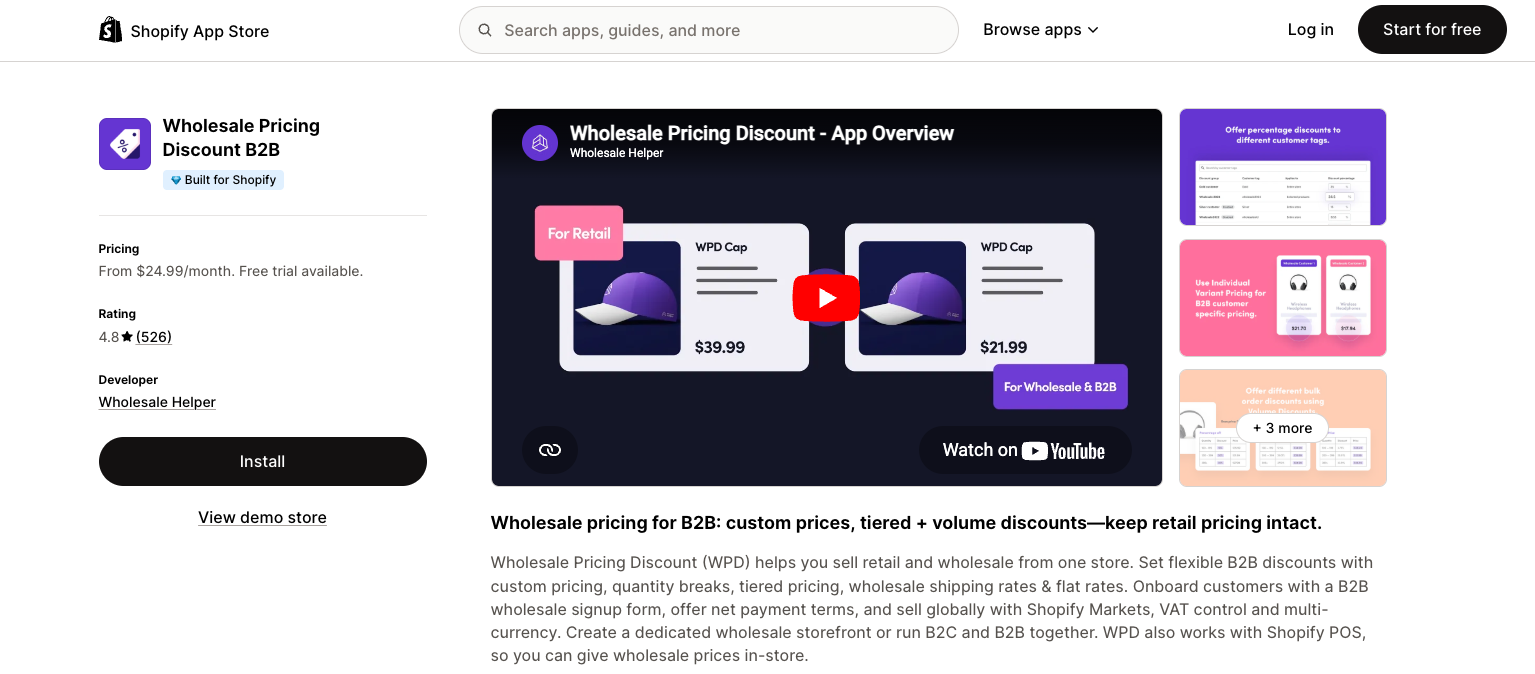
- Primary pricing and discount management
- Customer segmentation and tagging
- Volume-based pricing automation
- Integration with Shopify Markets
- Wholesale Sign Up Form
- Net Payment Terms and Advanced Shipping Rules
Store Visibility Control
Wholesale Lock Manager ($9.99/month)
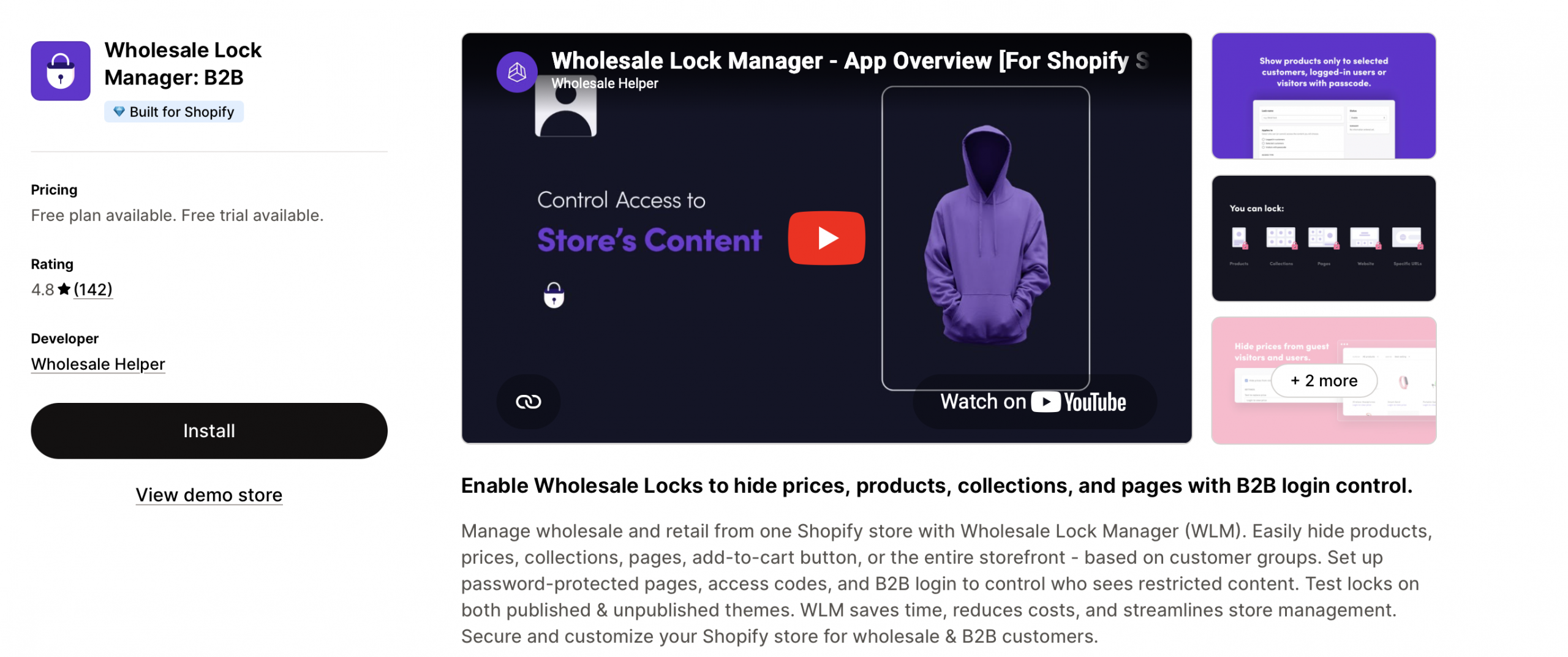
- Hide prices from non-B2B visitors
- Product access restrictions
- Custom login prompts
Bulk Ordering
WSH Order Form & ReOrder ($15.99-$24.99/month)
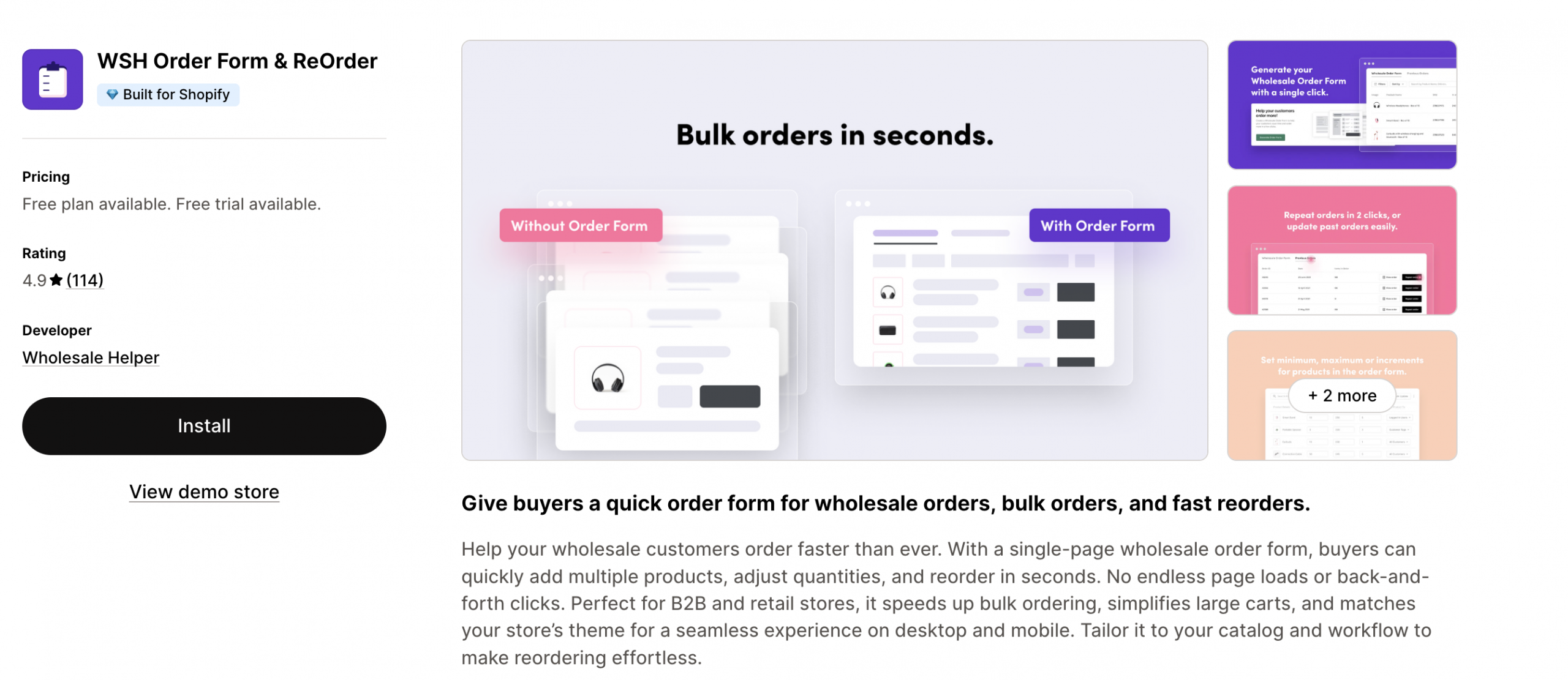
- Custom bulk order forms
- Reorder functionality
Total Monthly Cost: $51-$99 per month vs $2,300+ for Shopify Plus
When native B2B is not enough, Wholesale Pricing Discount B2B is the next step.
Try our Wholesale Pricing Discount B2B app for free !
Trusted by over 16,000 Shopify merchants
Final Summary: Set Up Wholesale on Shopify Without Shopify Plus
You can set up wholesale on Shopify without Shopify Plus.
In 2026, Shopify gives merchants more native B2B features on Basic, Grow, and Advanced than it did before. You can now use Shopify B2B for companies, catalogs, payment terms, PO numbers, quantity rules, volume pricing, and reorders.
But apps still matter.
Native Shopify B2B is helpful for core B2B account and checkout workflows. Wholesale apps are helpful when you need more control over pricing, customer tags, hidden products, login to view price, approval forms, and bulk ordering.
For many stores, the best setup is simple:
Start with native Shopify B2B where it fits. Add wholesale apps where Shopify does not give you enough control. Move to Shopify Plus only when your wholesale operation becomes complex enough to need it.
That way, you can start selling wholesale without taking on a higher platform cost too early.
Frequently Asked Questions
What’s the cheapest way to add B2B features to my Shopify store?
The cheapest practical setup is to start with your existing Shopify plan and use native B2B features where possible. Then add only the apps you need for pricing, access control, approval forms, or bulk ordering.
What B2B features are available without Shopify Plus?
Non-Plus plans can support features such as companies, company locations, B2B catalogs, quantity rules, volume pricing, net payment terms, payment reminders, PO numbers, easy reorders, and quick order lists. Some features have limits on Basic, Grow, and Advanced.
Do I need Shopify Scripts for tiered pricing?
No coding required. Apps like Wholesale Pricing Discount B2B provide user-friendly interfaces for creating complex volume discounts, tiered pricing, and customer-specific rules without technical knowledge.
Can I have both retail and wholesale customers in one store?
Yes, this is the most efficient approach. Using customer tags and pricing rules, you can seamlessly serve both audiences from a single Shopify store, reducing operational complexity and costs.
Feature Comparison Matrix
| Feature | Shopify Plus | Wholesale Apps on the app Store |
| Customer-specific pricing | ✅ Yes | ✅ Yes |
| Hidden pricing | ✅ Yes | ✅ Yes |
| Volume/MOQ pricing | ✅ Yes | ✅ Yes |
| Net payment terms | ✅ Yes | ✅ Yes |
| Customer approval workflow | ✅ Yes | ✅ Yes |
| Cost effectiveness | ❌ $2,300+/month | ✅ $25-65/month |
Why Shopify + Apps wins: Combines Shopify’s reliability with specialized B2B functionality at a fraction of enterprise costs.
What alternatives exist to Shopify for B2B?
WooCommerce B2B plugins: Requires technical management, hosting costs
Magento Commerce: $22,000+ annually, complex setup
BigCommerce Enterprise: $400+ monthly, limited customization
Custom development: $50,000+ initial investment, ongoing maintenance