
Key Takeaways
- Shopify’s built-in B2B tools are now included with its main paid plans, although some capabilities remain limited to Advanced or Plus.
- Basic, Grow, and Advanced give merchants three active B2B catalogue assignments in total across their B2B markets.
- Shopify Plus removes the catalogue ceiling and permits direct catalogue assignment to a particular company or company location.
- Wholesale apps can provide more control over pricing groups, storefront access, customer applications, POS pricing, and bulk order entry.
- Using an app alongside native B2B may be possible, but the app must support the account, catalogue, checkout, and customer account setup being used.
Shopify Native B2B vs Third-party apps is now a strong debate, as Native B2B features include a broad set of B2B tools on Basic, Grow, and Advanced plans. A merchant can manage business buyers, create wholesale product assortments, apply quantity conditions, offer net terms, collect purchase order numbers, and let customers reorder from their accounts without building a separate system.
However, built-in tools do not remove the need for wholesale apps. Some businesses have negotiated prices for many customer groups, detailed approval processes, private sections of the storefront, in-store wholesale sales, or buyers who need to order dozens of SKUs from one screen.
The decision comes down to how closely your wholesale process fits Shopify’s company, market, and catalogue structure. In this guide, we will see the difference between them and what setup makes the most sense for your store.
Shopify Native B2B vs Third-Party Apps : Quick Comprison
Let us look at a quick comparison between Shopify Native B2B vs Third-Party Apps.
| Area | Shopify’s Built-In B2B Tools | Third-Party Wholesale Apps |
| Buyer records | Organises buyers under companies and business locations | Commonly groups buyers using customer tags, app profiles, or custom conditions |
| Product pricing | Uses catalogues, fixed product prices, percentage adjustments, and quantity-based price breaks | May offer tag-based discounts, individual price overrides, tiered rules, and cart-based conditions |
| Catalogue capacity | Three active B2B catalogue assignments on Basic, Grow, and Advanced; no catalogue cap on Plus | Depends on the app, its architecture, and the selected subscription |
| Applications | Company account requests can be collected using Shopify Forms | Forms may include additional fields, tagging, emails, and custom approval steps |
| Restricted content | Protects assigned B2B products and prices after an authorised buyer signs in | Can restrict individual prices, products, collections, pages, links, or the full storefront |
| Large orders | Provides product-level quick order lists and account-based reordering | Can present many products and variants together on a dedicated ordering screen |
| Payment handling | Includes net terms, PO numbers, invoices, draft review, reminders, and saved cards | May support additional payment, receivable, or account-specific processes |
| In-store wholesale | Primarily centred on the B2B online-store experience | Certain apps like the Wholesale Pricing Discount B2B can apply wholesale pricing through Shopify POS |
| Ongoing cost | Included within the Shopify subscription | Usually adds a separate monthly charge |
Most core B2B functions are available across Basic, Grow, Advanced, and Plus. Advanced and Plus receive additional storefront and checkout contextualisation, while several advanced payment controls remain exclusive to Plus.
How Shopify’s Native B2B System Works
Shopify B2B is built around business accounts rather than ordinary retail customer profiles. A business is created as a company. Each branch, warehouse, office, or purchasing unit can then be added as a company location. Contacts are connected to those locations and can receive permission to place orders or manage the location.
From there, Shopify uses catalogues and Markets to determine what products and prices a signed-in buyer receives. A native setup can cover five important parts of wholesale selling:
- Business account management: Companies can contain several locations and buyer contacts. This is useful when one customer has different delivery addresses, purchasing teams, or account settings.
- Wholesale products and prices: A catalogue can contain the products a buyer is allowed to purchase. Merchants can adjust prices across the catalogue or enter fixed rates for selected products.
- Ordering conditions: Shopify supports minimum order quantities, maximum quantities, ordering increments, and lower unit prices when customers purchase larger amounts.
- Payments and order review: Merchants can assign net terms, collect purchase order numbers, send invoices, route checkout orders into drafts, and review orders before final confirmation.
- Buyer self-service: Authorised customers can sign in, view their business information, access the correct assortment, check previous purchases, place repeat orders, and manage eligible returns.
Where Native Shopify B2B May Become Restrictive
Shopify now covers much more than it did previously, but the native system still has boundaries.
Lower-plan catalogue capacity: The main issue on Basic, Grow, and Advanced is not access to B2B itself. It is the number of active B2B catalogue assignments. These plans provide three assignments across the store’s B2B markets. Using all three within one market leaves no remaining assignment for another B2B market.
Storefront visibility : Signed-in B2B customers can access their assigned products, prices, and account information. More detailed restrictions may still need another solution. For example, a merchant may want to hide one resource page, remove prices from visitors, protect a dealer collection, or display different content based on a customer tag.
Highly individual pricing: Native catalogues work well when buyers can be placed into a manageable number of groups. The problem is whether the store’s commercial agreements can be represented cleanly within its catalogue structure.
App and checkout compatibility: Not every Shopify app works correctly with companies, B2B catalogues, the current customer accounts, or B2B checkout. Shopify lists some third-party apps among the areas that may be incompatible and advises merchants to contact the developer. Native B2B also requires the current version of customer accounts rather than legacy accounts.
What Third-Party B2B Apps Add
Shopify wholesale apps usually fall into a few practical categories. A merchant may use one focused app or combine several depending on the store’s needs.
More flexible wholesale pricing: Pricing apps can create wholesale groups without requiring every buyer segment to be represented by a native market catalogue.
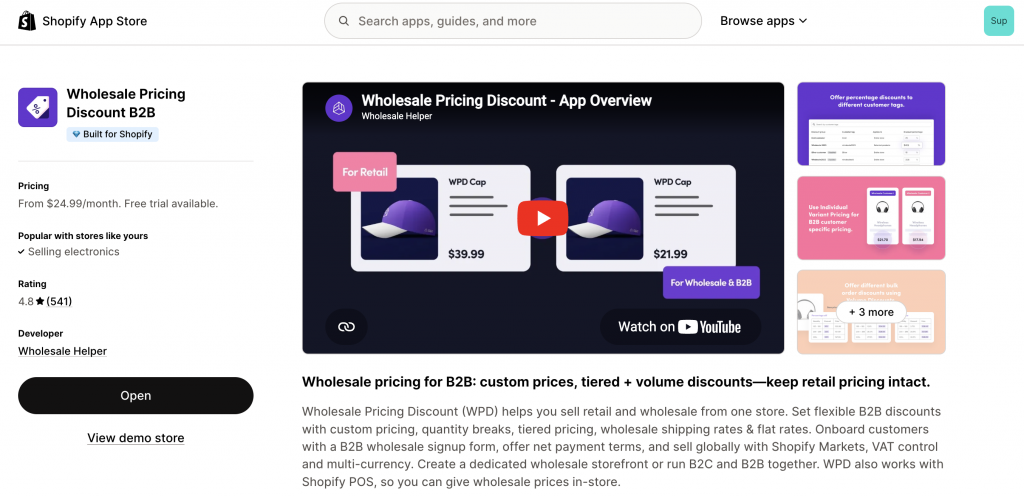
For example, Wholesale Pricing Discount B2B supports customer and tag-based discounts, variant-level custom prices, quantity breaks, wholesale shipping rules, account applications, net terms, multi-currency pricing, and Shopify POS support. The features available depend on the selected app plan.
Detailed storefront access rules: A store may need to reveal products to one buyer group while hiding them from everyone else. Some merchants also want visitors to browse products but sign in before seeing a price.
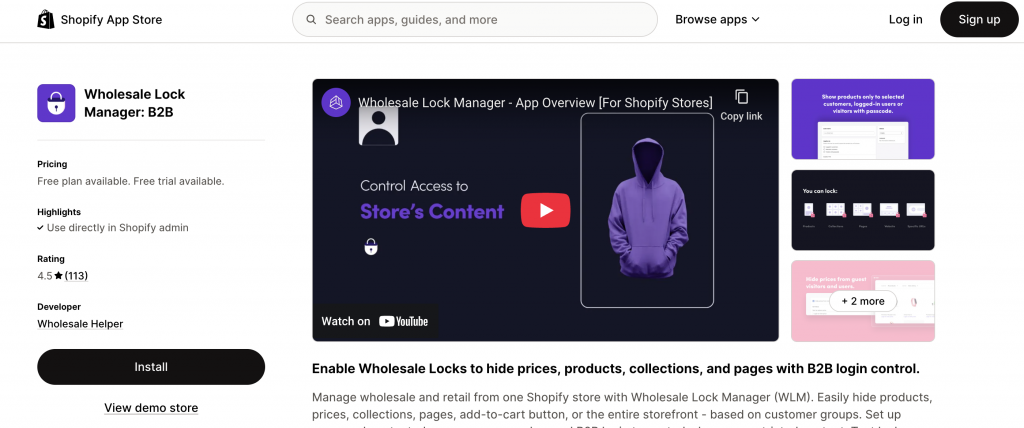
Wholesale Lock Manager B2B can apply access rules to prices, products, collections, pages, URLs, the add-to-cart button, or the storefront. Rules can be based on customer groups, login status, passwords, or access codes.
Faster ordering across a large assortment: Shopify’s native quick order list helps buyers select several variants of one product from its product page. Buyers can also recreate an earlier order from their account.
A dedicated bulk order form serves a slightly different purpose. It can bring a wider range of products, variants, SKUs, inventory details, and quantity fields into one ordering interface.
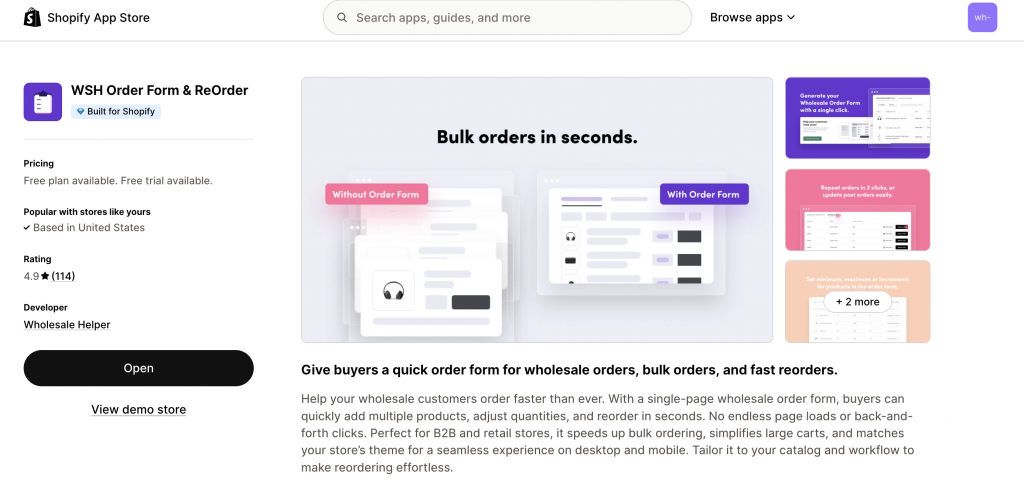
WSH Order Form & ReOrder lets buyers add multiple items through a single-page form and provides tools for repeat purchases, product matrices, SKU display, and large carts.
Which Setup Should You Start With?
| Wholesale Requirement | Practical Starting Point |
| A few clearly defined wholesale price lists | Native Shopify B2B |
| Business customers with branches and multiple purchasers | Native Shopify B2B |
| Many tag-based price levels | Wholesale pricing app |
| A separate contract rate for numerous individual accounts | Pricing app or Shopify Plus |
| Net terms and PO references | Native Shopify B2B |
| Deposits or part-payments built into the B2B process | Shopify Plus |
| Prices visible only after login | Access-control app or a carefully configured dedicated B2B store |
| Different pages available to different buyer groups | Access-control app |
| Ordering several variants of one product | Native quick order list |
| Ordering many SKUs from across the catalogue | Dedicated order-form app |
| Wholesale rates used through Shopify POS | Compatible wholesale pricing app |
| Native business accounts plus one missing specialist function | Native B2B with a verified app |
Can Native B2B and Apps Be Used in the Same Store?
They can, but the combination needs to be planned. A merchant might use Shopify’s companies and locations to organise business accounts while adding one app for a requirement that the native system does not handle well.
For example:
- Shopify manages companies, buyer roles, and account history.
- A pricing app handles customer-tag rules or POS prices.
- An access app protects selected pages or hides prices.
- An order-form app helps buyers submit large multi-SKU orders.
This does not mean every app can be added to every native B2B setup. The merchant should confirm how the app handles companies, B2B catalogues, Markets, customer accounts, checkout, and existing discount rules.
Summing Up
Shopify’s native B2B system is now a credible starting point for merchants who want structured business accounts, wholesale catalogues, quantity controls, payment terms, and customer self-service.
Third-party apps remain relevant because wholesale businesses rarely operate in exactly the same way. Negotiated pricing, restricted content, POS sales, specialised onboarding, and large catalogue ordering can require controls that Shopify does not provide in the required format.
Start by documenting the wholesale rules your team follows today. Then check which of those rules Shopify handles without workarounds. Add an app only for the gaps that would otherwise create manual work or a poor buying experience.
Frequently Asked Questions
Is Shopify B2B restricted to Shopify Plus?
No. Basic, Grow, Advanced, and Plus can all use Shopify B2B. The differences appear in areas such as catalogue capacity, direct catalogue assignments, contextual storefronts, checkout customisation, deposits, and partial payments.
What is the catalogue allowance outside Shopify Plus?
Basic, Grow, and Advanced provide three active catalogue assignments shared across all B2B markets. It is a store-wide allowance, not three catalogues for every market.
Does every wholesale store need a third-party app?
No. Stores with a small number of price groups and a straightforward company structure may be able to run their wholesale operation using Shopify’s built-in tools. An app becomes more useful when the merchant needs detailed price exceptions, page-level restrictions, POS wholesale pricing, custom onboarding, or a catalogue-wide ordering screen.
Should an existing wholesale app be removed after enabling native B2B?
Only after testing. Compare the current workflow against the native setup, including pricing, visibility, registration, order entry, payment terms, POS use, and customer access. Removing an app too early can interrupt buyer pricing or checkout behaviour.