Key Takeaways
- Shopify expanded key native B2B features to Basic, Grow, and Advanced stores in April 2026.
- Shopify B2B company profiles represent the main businesses buying from your Shopify store.
- Locations can be used for individual branches, offices, warehouses, franchises, or purchasing departments.
- Buyers are added as customers and connected to the locations where they are allowed to purchase.
- Pricing, product availability, addresses, payment terms, tax details, and checkout settings can differ between locations.
- Catalogue limits and company-specific catalogue assignment still depend on the Shopify plan being used.
- Stores with more advanced pricing, product access, registration, or bulk-ordering needs may still require additional apps.
Until recently, many merchants associated Shopify’s built-in wholesale features mainly with Shopify Plus. In April 2026, Shopify expanded several core B2B tools to stores on the Basic, Grow, and Advanced plans as well. These include company profiles, B2B catalogues, payment terms, volume pricing, and self-service ordering.
This means more merchants can now manage wholesale and retail customers from the same Shopify admin without immediately moving to the Shopify Plus plan or building a separate B2B store.
Company profiles are at the centre of this setup. They help merchants organize a business account, its different locations, and the people allowed to purchase for each location.
For example, a wholesale customer may have several stores, warehouses, or offices. Each location may need its own prices, delivery address, payment terms, tax information, and purchasing contacts. Shopify company profiles bring these details together while still allowing each location to have different buying rules.
How Shopify Organizes a B2B Account
A native Shopify B2B account has three main parts:
| Record | Purpose | Example |
| Company | Holds the main business relationship | Northstar Hospitality |
| Location | Represents a branch or buying division | Northstar Hospitality, New York |
| Customer | Identifies the employee who purchases | Procurement lead for the New York Branch |
Suppose Northstar Hospitality buys supplies for properties in New York, Texas, and California. You can create one company and add the three properties as separate locations.
The branches can then have different delivery addresses, approved buyers, price lists, tax information, and payment conditions without creating three unrelated company accounts.
What Can Be Set at the Location Level?
The table below shows the main details that can be managed for each company location. These settings help merchants give different branches their own pricing, payment terms, addresses, tax details, checkout rules, and buyer access.
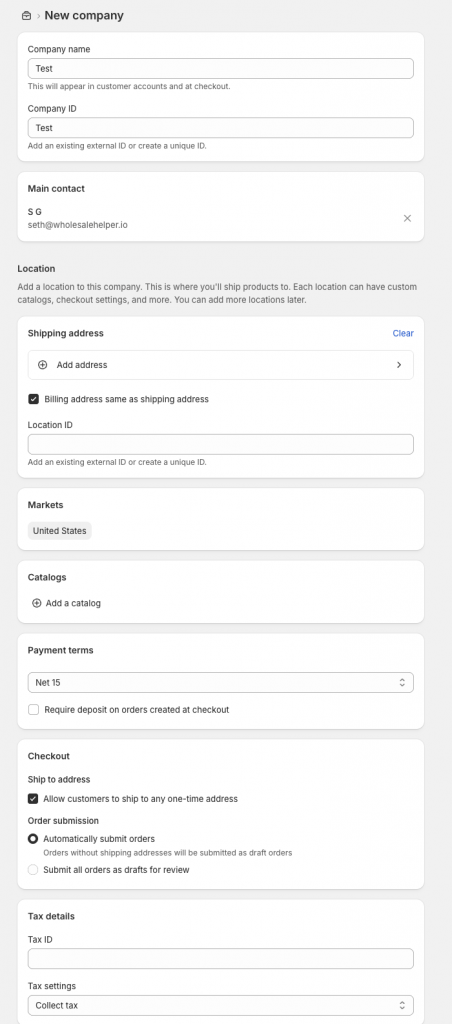
Some options depend on the Shopify plan. For example, Shopify Plus merchants can assign a catalogue directly to a company location. On Basic, Grow, and Advanced plans, catalogues are connected to locations through Shopify markets.
| Area | What you can manage |
| Products and pricing | Decide which catalogue applies to the branch |
| Payment terms | Set the agreed deadline for paying an order |
| Address details | Store the correct billing and delivery information |
| Tax information | Record relevant tax IDs and exemption details |
| Order submission | Allow normal checkout or send orders for review |
| Buyer access | Select the people allowed to purchase |
| Additional data | Save internal account details through metafields |
This setup is useful because two branches belonging to the same organization do not always buy under the same terms.
How B2B Catalogues Connect to Companies
A B2B catalogue controls which products wholesale buyers can purchase and the prices they receive. On Shopify Basic, Grow, and Advanced, catalogues are assigned through B2B markets. These plans allow up to three active catalogue assignments across all B2B markets.
Shopify Plus removes this limit and also allows catalogues to be assigned directly to a company or company location. When several market catalogues apply to the same location, Shopify normally shows the lowest available price for a product. A catalogue assigned directly to the location can take priority over a broader market catalogue.
Buyer Roles and Account Access
Adding a customer to Shopify does not automatically make them a B2B buyer. The customer must also be linked to a company location. Shopify provides two permission options as follows:
| Permission | Suitable for |
| Ordering only | Buyers who need to order for approved locations and review orders they personally submitted |
| Location admin | Purchasing managers who need wider order visibility and permission to update saved addresses |
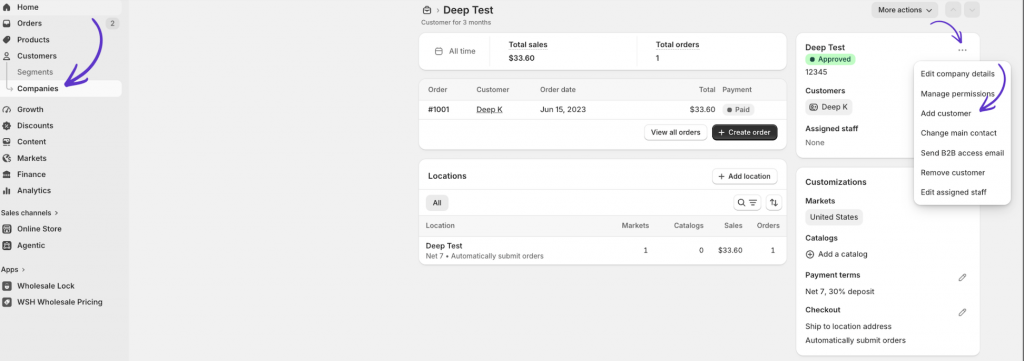
A customer may be connected to several locations under one company. When that person enters the B2B storefront, they select the branch or buying unit for the order. The store then applies the relevant catalog, payment rules, and company details.
Setting Up a Company Profile
The setup can be completed from the Customers area of the Shopify admin.
- Open Customers, then select Companies.
- Start a new company record and add the business name.
- Create the first location with the correct contact and address details.
- Connect an existing customer or enter a new buyer.
- Give the buyer the appropriate permission level.
- Apply the required catalog, payment terms, tax information, and order settings.
- Review the storefront and checkout experience before giving the buyer access.
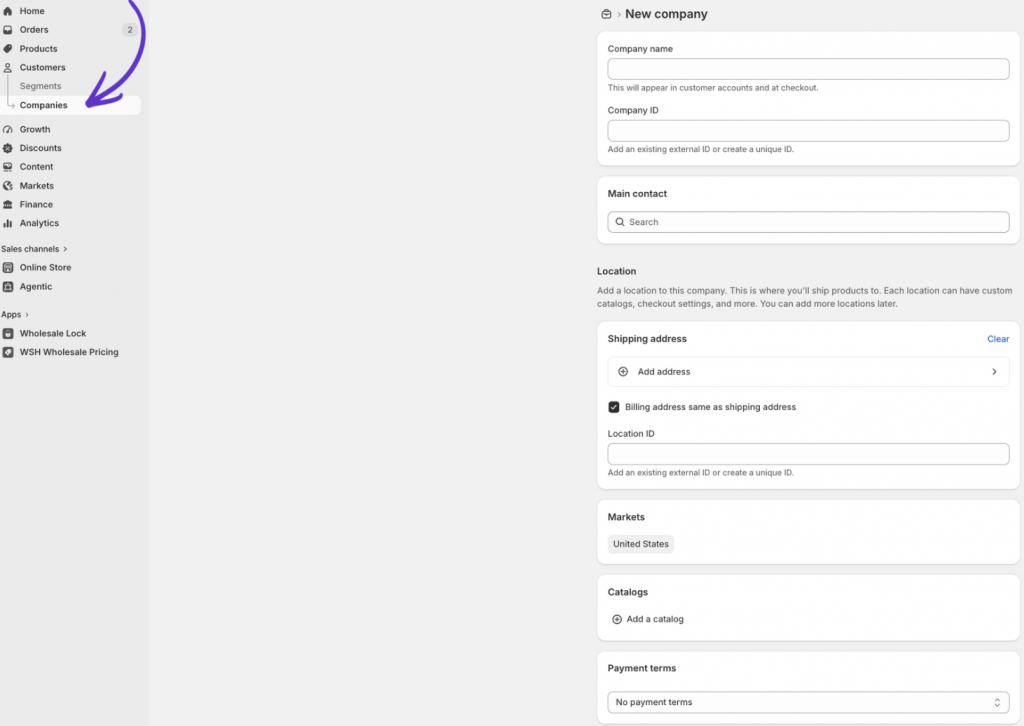
It is worth testing the account before launch. Check that the buyer sees the correct products, prices, shipping options, taxes, and payment deadline.
Accepting Requests From New B2B Buyers
Shopify Forms can be used to collect applications from businesses interested in opening a wholesale account. The form can ask for information such as company name, tax number, business category, purchasing needs, or estimated order size.
After a submission, Shopify can prepare the related company, location, and customer details for approval. Shopify Flow can also support parts of the process, including internal notifications, tagging, and access emails.
One limitation is that the application flow is designed to create a new company account. It does not automatically connect an applicant to a company that already exists in your admin.
Limitations of Native Company Profiles
Company profiles solve the account-organisation side of B2B, but they do not handle every wholesale requirement. On Basic, Grow, and Advanced, merchants have less freedom to create large numbers of pricing groups because of the three-catalogue limit. Individual catalogue assignment at the company or location level remains tied to Shopify Plus.
Certain payment options are also restricted by plan. Features such as taking deposits, collecting part of an invoice, or requesting payment separately for each fulfilment are Plus-level capabilities.
The native setup may also feel limited when a store needs customer-specific discount logic based on customer tags, restricted collections, hidden prices, wholesale-only pages, or a compact order sheet for purchasing dozens of SKUs.
In these cases, apps can extend the existing company structure.
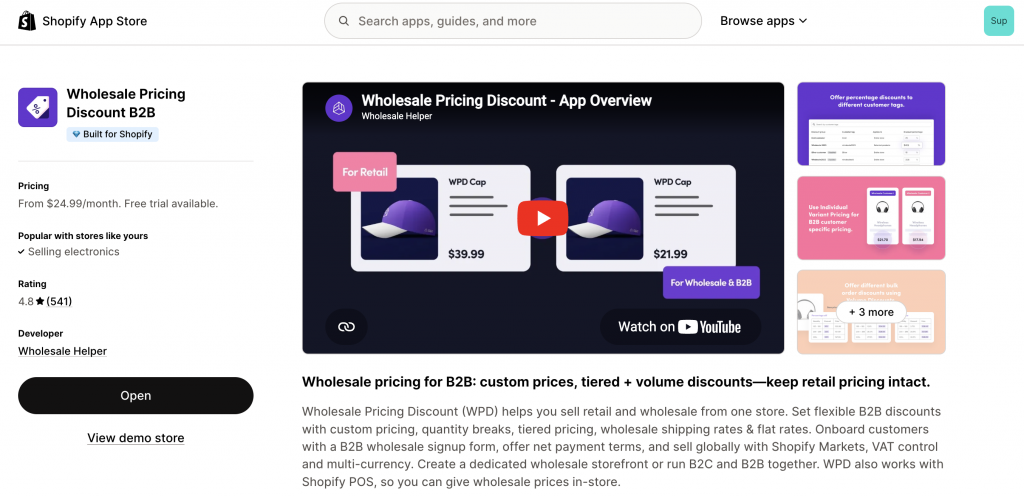
Wholesale Pricing Discount B2B can support more flexible discounts based on customer tags, quantity-based pricing, registration rules, shipping conditions, and tax display options.
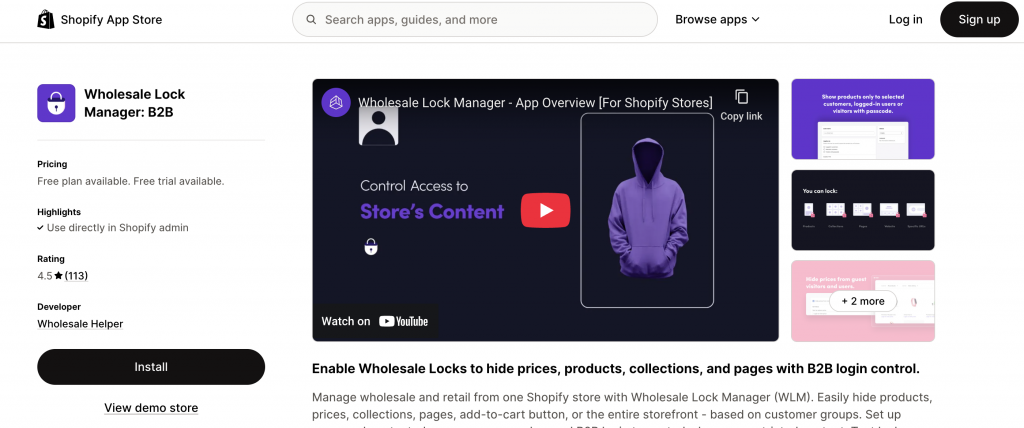
Wholesale Lock Manager B2B can limit access to selected products, prices, pages, or collections.
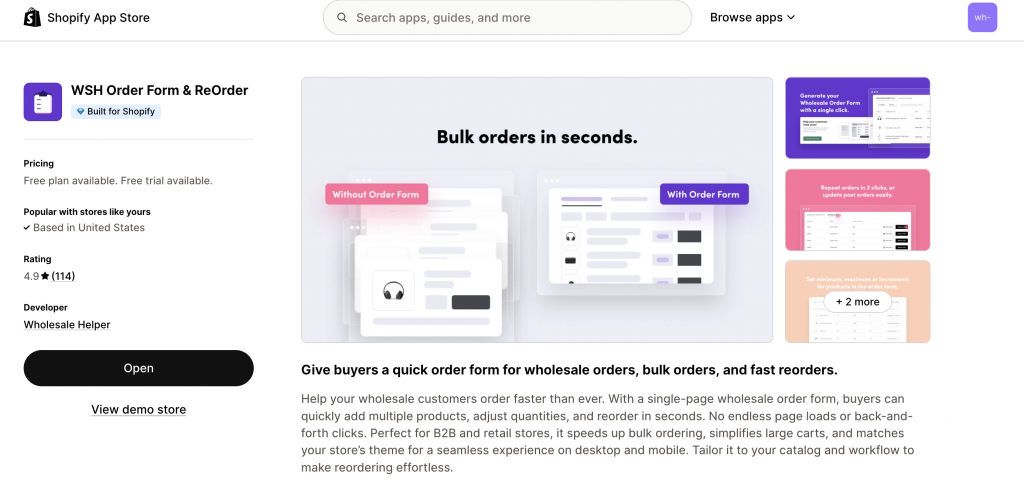
WSH Order Form & ReOrder can simplify large and repeat purchases through a single-page ordering interface.
These apps can support the native account setup rather than requiring the merchant to rebuild it.
Conclusion
Shopify B2B company profiles give merchants a practical way to manage organizations that have several buyers, branches, and purchasing arrangements.
The company should represent the wider business. Locations should separate branches or units that buy under different conditions. Customers should then receive access only to the locations they are responsible for.
For straightforward wholesale programs, this native structure may be enough. Stores with more detailed pricing, access, shipping, or bulk-ordering requirements can add focused wholesale tools around it.
When native B2B is not enough, Wholesale Pricing Discount B2B is the next step.
Try our Wholesale Pricing Discount B2B app for free !
Trusted by over 16,000 Shopify merchants
Frequently Asked Questions on Shopify B2B Company Profiles
What does a company profile do in Shopify B2B?
It keeps the business, its branches, purchasing contacts, pricing access, terms, addresses, and checkout rules connected within one account structure.
Can a business have several company locations?
Yes. A location can represent a physical branch, warehouse, office, franchise, or separate purchasing department.
Can the same person buy for more than one branch?
Yes. A buyer can be linked to multiple locations belonging to the same company and select the relevant one while shopping.
Do merchants need Shopify Plus to use company profiles?
No. Native B2B features are available on Basic, Grow, Advanced, and Plus. However, catalogue capacity, direct catalogue assignment, and some payment tools vary by plan.
Can businesses apply for wholesale access?
Yes. Merchants can collect company account applications with Shopify Forms and use Shopify Flow to assist with review and onboarding.