Key Takeaways
- A private wholesale area on Shopify lets approved B2B buyers access products, pricing, pages, and ordering flows that regular retail shoppers cannot see.
- You can create a private wholesale area using customer tags, locked collections, wholesale-only products, native Shopify B2B catalogs, or wholesale access apps.
- You do not need Shopify Plus just to create a private wholesale area. Most stores can do this using apps like Wholesale Lock Manager B2B, and Wholesale Pricing Discount B2B.
- Native Shopify B2B is now available across more Shopify plans, but plan limits still matter. Basic, Grow, and Advanced plans are useful for simpler B2B catalog setups, while Shopify Plus gives more advanced catalog and company-level control.
- The best setup depends on your store model. A pure wholesale store may need a fully gated login experience. A hybrid B2C + B2B store usually works better when retail content stays public and only wholesale products, prices, and order flows are locked.
Yes. You can create a private wholesale area on your Shopify store to sell to both your retail and B2B customers simultaneously, all from a single store.
Whether you’re selling to distributors, resellers, or large corporate clients in markets like the USA, Canada, UK, Australia, India, or across Europe, this guide will show you precisely how to:
- Gate products and collections behind the customer login.
- Control who sees what based on customer segmentation.
- Assign specific wholesale pricing and tiered discounts.
- Manage the entire secure B2B experience within a single Shopify store.
The best part? You can achieve this powerful setup without the need for a costly Shopify Plus subscription or the complexities of managing a second, separate website.
What Exactly Is a Private Wholesale Area on Shopify?
A private wholesale area on Shopify is a designated section of your Shopify store (or in some cases, the entire store) that is:
- Hidden from public view: Not accessible to general retail shoppers or search engines.
- Exclusive to approved buyers: Only visible to specific, logged-in wholesale customers who meet your qualification criteria.
- Tailored for B2B transactions: Displays unique wholesale pricing, Minimum Order Quantities (MOQs), specialized bulk SKUs, and potentially options for Net Terms checkout.
Unlike your public-facing product pages, a private wholesale area provides a controlled environment for your B2B operations, ensuring confidentiality and a streamlined purchasing experience for your professional clients.
Who Needs a Private Wholesale Area on Shopify?
Creating a private wholesale area is a common and highly effective strategy if you:
- Serve Both Retail & B2B Buyers: You have a hybrid business model and need to cleanly separate your B2C and B2B customer experiences.
- Offer Exclusive Pricing & Terms: You provide reseller pricing, specific volume discounts, tiered pricing, or Net 30/60 payment terms that should not be visible to the general public.
- Require Customer Approval: You need to pre-qualify and approve customers before granting them access to sensitive wholesale product information or pricing.
- Need Dedicated B2B Logic: You want to manage your complex B2B pricing, MOQs, and product offerings distinctly, but still within the efficiency of your primary Shopify store.
5 Steps To Build a Private Wholesale Area on Shopify
Implementing a private wholesale area on Shopify is a straightforward process that leverages customer segmentation and targeted access control.
Step 1: Decide How You Want to Identify Wholesale Buyers
The first step is deciding how Shopify should know who is allowed to access your private wholesale area.
There are two common ways to do this.
Option 1: Use customer tags
This is the most flexible option for many Shopify stores. You can tag approved wholesale buyers with tags like:
- wholesale-approved
- trade
- dealer-uk
- distributor-tier-1
- net-30-account
- salon-buyer
- interior-designer
These tags can then control who can see private products, hidden collections, wholesale pricing, or special order forms.
You can apply tags manually after reviewing a wholesale application. You can also use Shopify Flow to automate tagging based on customer details, form submissions, order history, or other rules.
Option 2: Use native Shopify B2B companies
If you are using Shopify’s native B2B features, you can manage wholesale buyers as companies and company locations.
This works well if you want to use Shopify’s B2B setup for company accounts, catalogues, payment terms, quantity rules, and B2B checkout.
Native B2B is useful when you want a more structured company-based setup. Customer tags are useful when you want more flexible control over locked products, private pages, and mixed B2C + B2B experiences.
Step 2: Create Your Wholesale-Only Products or Collections
Next, define the content that will reside within your private area.
- Add Restricted Products: Create new products in your Shopify admin that are exclusively for your wholesale buyers. These could be:
- Full case packs or bulk product variations.
- Specialized distributor bundles or kits.
- High-volume SKUs not appropriate for public display.
- Products that will be sold with Net Terms or MOQs.
- Organize into a Dedicated Collection: It is highly recommended to place all of these wholesale-only products into a separate, clearly named Shopify Collection (e.g., “Wholesale Products,” “B2B Catalog,” “Distributor Exclusives”). This organization is crucial for applying access rules efficiently and helps with B2B order management.
Step 3: Implement Access Control: Hide These Products from Public View
This is the critical step to ensure your private wholesale area remains secure and exclusive. You need to apply login + tag-based access control.
- Require Customer Login: Ensure that access to your wholesale area requires customers to have an approved account and be logged in.
- Conditional Visibility: Configure your store to display these wholesale-only products or collections only if the logged-in customer possesses the correct, approved tag(s).
How to Achieve This:
- Custom Theme Edits: For advanced users or development teams, custom Liquid code within your Shopify theme can implement this conditional logic (e.g., checking customer tags).
- Plug-and-Play Access Control App (Recommended): For ease of use and powerful functionality without coding, a dedicated app is invaluable.
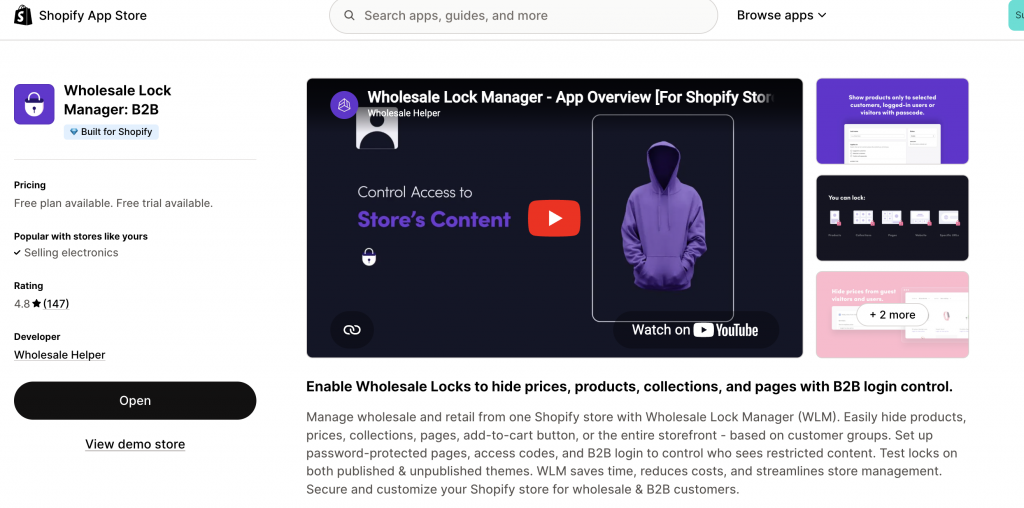
- Example App: Wholesale Lock Manager B2B is specifically designed for this purpose. It allows you to:
- Hide entire collections or individual products from visitors who are not logged in or do not have the required customer tags.
- Display a customizable “Login to View Pricing” or “Request Wholesale Access” message to retail shoppers or unapproved visitors.
- Lock access to Net Terms payment options, dealer-only pages, or specific B2B portal sections behind customer tags.
- Example App: Wholesale Lock Manager B2B is specifically designed for this purpose. It allows you to:
Step 4: Assign Wholesale Pricing Logic
Once access is controlled, the next step is pricing. There are a few ways to manage wholesale pricing on Shopify.
Option 1: Use native Shopify B2B catalogs
Shopify B2B catalogues let you control which products and prices B2B customers can access. This works well if your pricing setup is simple and you want to manage it inside Shopify’s company and catalogue structure.
Use this when:
- You manage B2B buyers as companies.
- You want catalog-based pricing.
- You have clear B2B product lists.
- You want B2B buyers to log in and access specific products and pricing.
- You are okay with the catalog limits on your Shopify plan.
Option 2: Use a wholesale pricing app
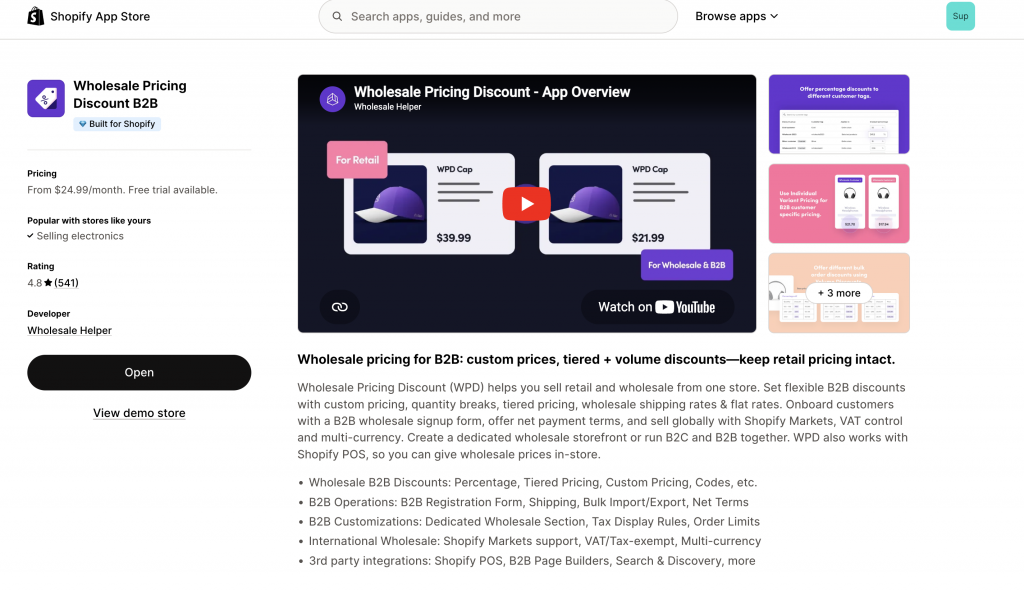
Wholesale Pricing Discount B2B is useful when you want more flexible pricing rules.
You can use it to:
- Show prices based on customer tags
- Create customer-specific discounts
- Set volume discounts
- Set quantity breaks
- Apply minimum order rules
- Offer different pricing for retailers, distributors, dealers, or VIP buyers
This is helpful if your wholesale program has multiple buyer types or if you want pricing rules that are easier to manage without custom development.
Example:
- A retail shopper browsing your public site sees nothing related to bulk products.
- A logged-in wholesale buyer (tagged approved-distributor) accesses the private wholesale catalog. They see a product like “12-Pack Eco-Friendly Bottles” priced at “$9.50/unit” with a displayed MOQ of 5 cases, and a tiered discount showing “$8.00/unit if ordering 10+ cases.”
Option 3: Create separate wholesale SKUs
This is simpler, but less flexible. You can create separate wholesale products such as:
- 12-Pack Eco-Friendly Bottles
- Case of 24 Candles
- Distributor Bundle
- Salon Starter Kit
Retail shoppers never see these products because they are inside the locked wholesale collection.
This can work well for stores where wholesale products are packed and sold differently from retail products.
Real-World Example: A Premium Stationery Brand
Scenario: A premium stationery brand sells exquisite paper goods to individual consumers worldwide and also supplies high-end boutiques and corporate gift companies across Europe and North America.
Their Shopify Private Wholesale Area Setup:
- Gated Collection: Their collections/wholesale-catalog (containing bulk paper reams, custom corporate gift sets, and wholesale-exclusive pens) is entirely gated by login.
- Customer Tags: Only customers tagged b2b-eu or corporate-client-usa can see this collection after logging in.
- Differentiated Pricing: The pricing within this private wholesale catalog is significantly different from the public store. Wholesale Pricing Discount B2B app ensures tiered discounts apply (e.g., buying 50+ units reduces the price per unit by 25%).
- Order Minimums: All wholesale orders require a $200 / €200 minimum cart value.
The result is that retail shoppers never see the private wholesale catalog, avoiding confusion, while approved B2B buyers enjoy a tailored, efficient, and secure purchasing experience, all within the same Shopify store.
When native B2B is not enough, Wholesale Pricing Discount B2B is the next step.
Try our Wholesale Pricing Discount B2B app for free !
Trusted by over 16,000 Shopify merchants
Frequently Asked Questions (FAQs) About Private Wholesale Catalog on Shopify
Can I make my entire Shopify store private for wholesale buyers only?
Yes. While this article focuses on a private catalog within a hybrid store, you can indeed use access control apps like Wholesale Lock Manager B2B to hide your entire Shopify store behind a login wall, making it exclusively for wholesale customers. This is common for pure B2B businesses.
Can I create different private wholesale catalogs for various regions or customer tiers (e.g., UK distributors vs. Indian resellers)?
Yes, absolutely. This is a key advantage of using customer tags. You can create multiple collections (e.g., “EU Wholesale,” “APAC Distributor”) and use specific tags like dealer-uk, vip-tier-2-canada, or distributor-india to segment visibility. Each tagged group would then only see their designated private wholesale catalog on Shopify.
Do I need Shopify Plus to create a private wholesale area?
No. You do not need Shopify Plus just to create a private wholesale area. You can use apps, customer tags, locked collections, and wholesale pricing rules on other Shopify plans. Shopify Plus gives more advanced native B2B controls, but it is not the only way to create private wholesale access.
Can I run retail and wholesale from the same Shopify store?
Yes. This is one of the main reasons to create a private wholesale area. Retail shoppers can use the public store normally, while approved B2B buyers log in to access private products, pricing, and ordering tools.
How do I stop my private wholesale catalogue from being indexed by search engines?
Lock private wholesale products and collections properly, avoid linking to them from public pages, and do not expose private pricing in public product data. If you want SEO traffic, keep your public retail and wholesale application pages useful and indexable.
Can I hide prices but keep products visible?
Yes. This is a common setup. You can let visitors see product names, descriptions, and images, but hide prices and add-to-cart buttons until they log in or get approved. This can be achieved via the Wholesale Lock Manager B2B app.