Key Takeaways
- You do not need a second Shopify store to sell wholesale-only products. You can add wholesale only products to Shopify with the right customer access, pricing, and product visibility rules.
- Wholesale-only products are useful for case packs, distributor SKUs, bulk cartons, professional-use products, regional B2B catalogs, and products with special MOQs or payment terms.
- In 2026, Shopify native B2B features are available on Basic, Grow, Advanced, and Plus plans, but plan limits still matter. Basic, Grow, and Advanced support up to three active B2B market catalogs, while Plus supports unlimited B2B market catalogs and direct company catalog assignment.
- Apps are still useful when you want more flexible customer tag rules, hidden pages, locked collections, login-to-view-price flows, or B2B-only content on a mixed retail and wholesale store.
- For most merchants, the cleanest setup is: tag approved wholesale customers, create wholesale-only products or collections, lock access to those products, then apply wholesale pricing, MOQs, and tiered discounts.
Are you running a Shopify store that caters to both everyday consumers and dedicated wholesale buyers? Do you need to offer specific products exclusively to your B2B partners, keeping them hidden from the general public?
Yes, it’s entirely possible to add wholesale only products to Shopify stores without needing a separate storefront. This article explains how to seamlessly integrate wholesale-only products into your existing B2C Shopify store, maintaining a clean retail experience while providing a tailored catalog for your B2B customers.
Why Offer Wholesale-Only Products on a Shopify Store?
The concept of wholesale-only products on Shopify stores is fundamental to many dual-channel businesses. Here are common scenarios where this segregation is crucial:
- Exclusive SKUs for Distributors: You might have product lines or models specifically designed for your distributors/dealers or large retailers (e.g., bulk packaging, professional-grade tools, exclusive colors for boutiques).
- Example: A clothing brand sells individual apparel pieces to retail shoppers, but full cartons or seasonal pre-order collections are only available to approved wholesale buyers.
- Larger Pack Sizes/Case Quantities: Retail customers buy individual units, while wholesale buyers need cases or multi-packs. Displaying large pack sizes to consumers can confuse them.
- Example: A supplement brand sells single bottles to retail. However, wholesale-only products might include 12-packs or 24-packs of bottles, hidden from public view.
- Products with Specific B2B Terms: Items that require Net Terms, Minimum Order Quantities (MOQs), or special shipping arrangements often shouldn’t be visible on a general retail storefront.
- Example: A candle manufacturer offers popular seasonal scents to retail. But specific year-round bulk options, available only with an MOQ of 50 units and Net 60 terms, are designated as wholesale-only products.
In all these cases, the goal is consistent: one Shopify store, one unified product catalog internally, but two distinct and optimized customer experiences.
How to Add Wholesale Only Products to Shopify (Without a Second Store)
There are two main ways to manage wholesale-only products on Shopify in 2026.
The first is Shopify’s native B2B setup, which now supports B2B features across Basic, Grow, Advanced, and Plus plans. This can work well if you are using companies, catalogs, quantity rules, net terms, and B2B ordering inside Shopify’s native workflow. The limits matter though. For example, Basic, Grow, and Advanced plans support up to three active B2B market catalogs, while Shopify Plus supports unlimited B2B market catalogs and direct catalog assignment to companies and locations.
The second method is using customer tags and access-control apps. This is still useful when you want to hide specific products, collections, pages, menus, add-to-cart buttons, or prices from retail shoppers while keeping the same public Shopify store.
For most growing stores, a practical setup uses both: Shopify’s customer/account structure where useful, plus apps for more flexible product visibility and pricing rules.
✅ Step 1: Effectively Tag Your Wholesale Customers
Customer tags help Shopify understand who should see wholesale-only products.
Create simple, clear tags like:
- Wholesale-approved
- Wholesale-pending
- Distributor
- Reseller
- Dealer
- B2b-uk
- B2b-eu
- B2b-us
- Vip-wholesale
Do not create too many tags early. Keep tags tied to real pricing, access, or approval rules. If every small exception becomes a new tag, your wholesale setup will become hard to manage later.
✅ Step 2: Create Your Wholesale-Only Products or Collections
Now, set up the products you intend to restrict from public view.
- Add Restricted Products: Create new products in your Shopify admin that are specifically for your wholesale channel. These could be:
- Full-case packs or bulk variations.
- Special SKUs not available to retail.
- Products that will have Net Terms or MOQs attached.
- Organize into a Dedicated Collection: It is highly recommended to place all your wholesale-only products into a dedicated Shopify collection (e.g., “Wholesale Exclusive,” “B2B Catalog,” “Distributor Products”). This makes managing access rules significantly easier.
✅ Step 3: Implement Access Restriction Using Login + Tags
This is the core step for hiding your wholesale-only products from retail customers.
- Require Login: Ensure that access to your wholesale content necessitates a customer account and login.
- Conditional Visibility: Configure your store to display the wholesale-only collection (or individual products) only if the logged-in customer possesses the correct, approved tag.
How to Achieve This:
- Custom Liquid Code: If you or your developer is comfortable editing your Shopify theme’s Liquid files, you can implement conditional logic to hide elements based on customer tags. This offers fine-grained control.
- Plug-and-Play Apps: For a no-code solution, a dedicated access control app is highly recommended.
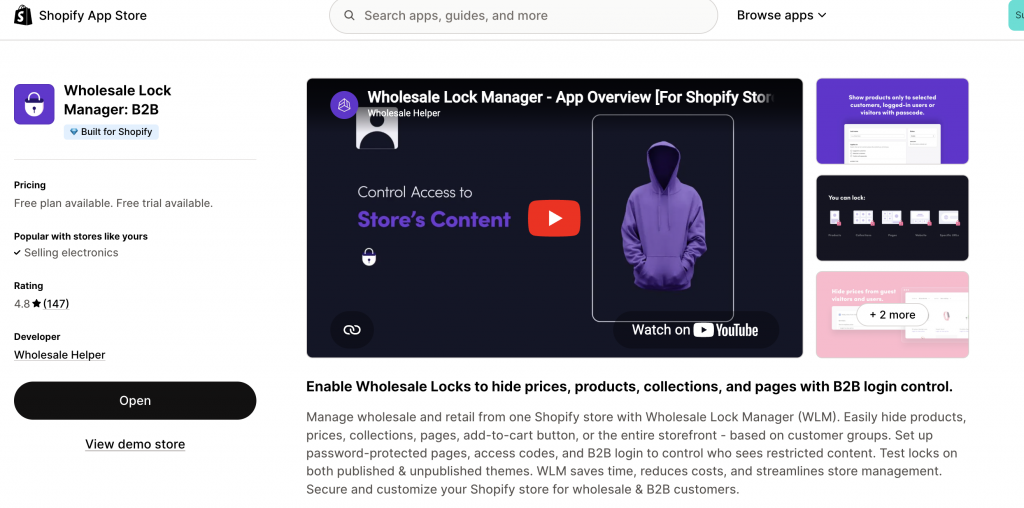
- Example App: Wholesale Lock Manager B2B excels at this. It allows you to:
- Hide entire wholesale collections or specific products unless the customer is logged in and possesses the required tag.
- Display a customizable “Login to view price” or “Request Access” message for unapproved users.
- Create private portals for B2B customers without disrupting your main retail navigation or site structure.
- Example App: Wholesale Lock Manager B2B excels at this. It allows you to:
✅ Step 4: Apply Wholesale Pricing Logic (Optional but Highly Recommended)
Once your B2B customers can see the wholesale-only products, you’ll almost certainly want to show them specific wholesale pricing.
- Separate SKUs (Simple): You could create entirely separate SKUs for wholesale (e.g., “Product A – Retail” and “Product A – Wholesale Case”), with the wholesale pricing “baked in.” This is simpler but less dynamic.
- Dynamic Pricing Apps (Recommended): For more flexibility and automation, use a dedicated pricing app.
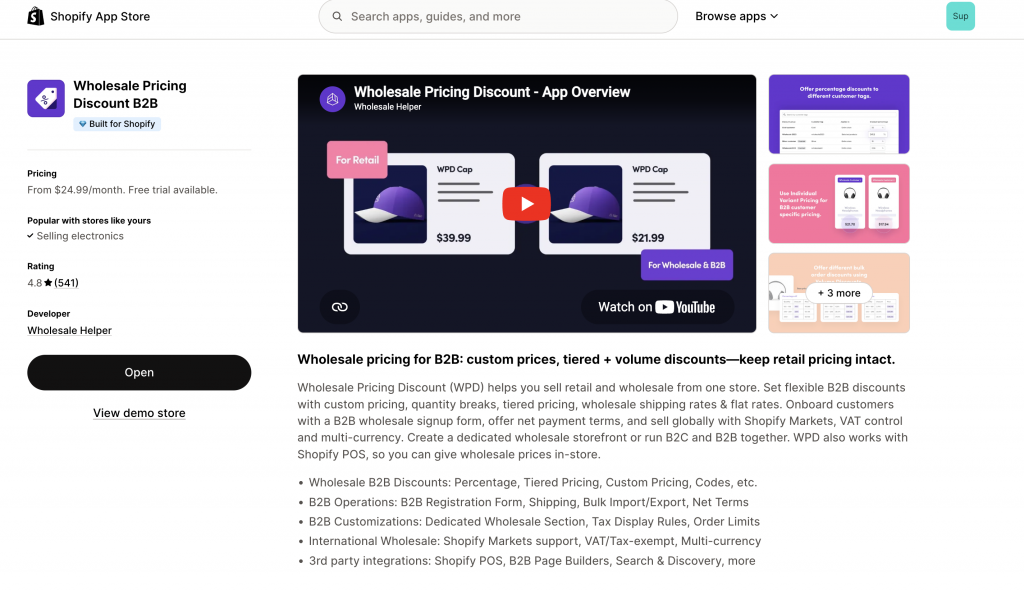
- Example App: Wholesale Pricing Discount B2B allows you to:
- Show special pricing based on customer tags, applying to your wholesale-only products.
- Implement tiered/volume pricing (e.g., purchase 10+ cases for a lower unit price).
- Set Minimum Order Quantities (MOQs) specific to these products or your wholesale buyers.
- Example App: Wholesale Pricing Discount B2B allows you to:
Real-World Application: A retail shopper never sees the “12-Pack Eco-Friendly Coffee Pods” product. However, a B2B buyer (tagged cafe-wholesale-approved) logs in and sees the 12-pack listed at $9.50/unit, with an MOQ of 5 cases, and potentially an additional tiered discount if they order 10+ cases.
Real-World Example: A Sustainable Kitchenware Brand
Consider a popular sustainable kitchenware brand serving both individual home chefs and restaurant supply distributors across North America and Europe.
- Retail Experience (for a customer in the USA):
- Browses the site normally.
- Sees individual bamboo cutlery sets for $12 USD.
- Can add any quantity to their cart.
- Never sees bulk cartons or commercial-grade products.
- Wholesale Experience (for a distributor in the UK, tagged b2b-uk):
- Logs into their approved account.
- Automatically sees a hidden “Professional Supplies” menu option.
- Navigates to find 24-pack cartons of bamboo cutlery, priced at £6.75 GBP per unit.
- Also sees new, commercial-grade cutting boards that are wholesale-only products.
- Must meet a minimum order value of £300 GBP for wholesale orders.
The outcome is a single, efficient Shopify store delivering two distinctly tailored shopping experiences based on customer type, perfectly managing wholesale-only products alongside retail offerings.
When native B2B is not enough, Wholesale Pricing Discount B2B is the next step.
Try our Wholesale Pricing Discount B2B app for free !
Trusted by over 16,000 Shopify merchants
Frequently Asked Questions (FAQs) About Wholesale-Only Products on Shopify
These FAQs address common queries regarding Shopify wholesale only products.
Can I completely hide wholesale-only products from search engines and general navigation on Shopify?
Yes. To hide wholesale-only products from search engines, you can often set them to “draft” status (if they don’t need to be seen by any customer unless you manually activate them) or use a robust access control app (like Wholesale Lock Manager B2B) which actively prevents indexing by search engines for gated content. For navigation, simply ensure these products are not linked in your public-facing menus.
Is it possible to show both a retail version and a wholesale-only product version of the same item?
Yes. You can achieve this by:
Duplicate SKUs/Products: Create two separate product listings (one retail, one wholesale-only) and gate the wholesale one by customer tag.
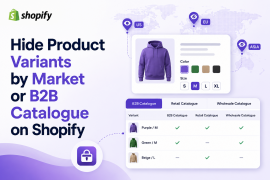
Variants Gated by Tag: Create different variants (e.g., “Single Pack,” “Case of 12”) for the same product, then use an app to hide the “Case of 12” variant unless a wholesale buyer is logged in.
Tiered Pricing: For products available to both, display standard retail pricing, but use a pricing app to show tiered discounts (reflecting wholesale prices at bulk quantities) only to logged-in B2B customers.
Does adding wholesale-only products require Shopify Plus?
No. You can add wholesale-only products on non-Plus plans using customer tags, collections, access-control apps, and wholesale pricing apps.
Shopify’s native B2B features are also now available on Basic, Grow, Advanced, and Plus plans, although feature limits depend on the plan. For example, Basic, Grow, and Advanced support up to three active B2B market catalogs, while Plus supports unlimited B2B market catalogs and direct company catalog assignment.
Can I use this method for international buyers via Shopify Markets?
Yes. You can use Shopify Markets, customer tags, locked collections, and region-specific pricing rules to show different wholesale products or prices to buyers in different countries.
For example, a distributor in Germany may see one wholesale-only collection, while a US retailer sees another. If freight, tax, duties, currency, or packaging rules are different, it may be better to create separate B2B pricing or product rules by region.
How do I ensure my wholesale-only products still get tiered discounts or MOQs?
Once the product is visible to the correct wholesale buyer group, apply pricing and order rules through a wholesale pricing app.
Wholesale Pricing Discount B2B supports customer/tag-based pricing, custom pricing, tiered pricing, volume discounts, order minimums, shipping rules, net terms, Shopify Markets, multi-currency, tax controls, and POS wholesale pricing.
What if I want wholesale-only products visible, but with hidden prices until login?
This is common. You can make the product page visible to everyone, but hide the price and add-to-cart button until the customer logs in as an approved wholesale buyer. This works well when you want to show that wholesale products exist, but you do not want public visitors to see pricing.