Key Takeaways
- In this article, “Pay Later Checkout in Shopifyr” means invoice checkout or net payment terms for B2B buyers. It is different from consumer BNPL options like Shop Pay Instalments, Klarna, or Afterpay.
- Shopify supports manual payment methods such as bank transfer or custom invoice payment methods. Manual payment orders are marked unpaid until the merchant receives payment and marks the order as paid.
- Shopify now also supports B2B payment terms across Basic, Grow, Advanced, and Plus plans. This includes net terms, payment reminders, PO numbers, draft order to invoice, and other B2B features, with some limits depending on plan.
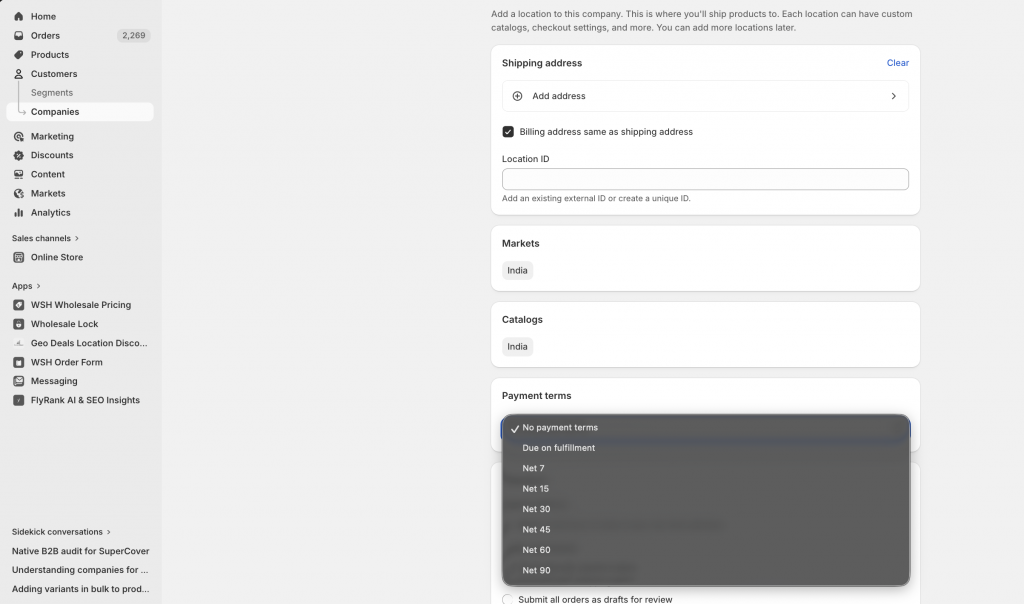
- Shopify supports net 7, net 15, net 30, net 45, net 60, and net 90 payment terms for B2B company locations and draft orders.
- For wholesale stores, the safest setup is to offer Pay Later only to approved B2B buyers, not every customer at checkout.
Many B2B buyers do not want to pay by credit card at checkout. Distributors, wholesalers, government departments, schools, corporate buyers, and long-term trade accounts often prefer to place an order now and pay later by invoice, bank transfer, or purchase order.
In Shopify, this is usually called invoice payment, manual payment, net terms, or Pay Later checkout. It is different from consumer “buy now, pay later” options like Klarna or Shop Pay Installments. Here, the buyer is usually an approved business account with agreed credit terms such as Net 15, Net 30, Net 60, or Net 90.
In this guide, we’ll explain how to enable invoice or Pay Later checkout in Shopify in 2026 using manual payment methods, Shopify B2B payment terms, PO numbers, invoices, payment reminders, and wholesale apps.
Understanding Net Terms or Pay Later Checkout in Shopify
The Net Terms or Pay Later checkout in Shopify option fundamentally changes the point of payment in a transaction:
- Order Submission: Without making an immediate payment, your customer completes the checkout process by placing an order, frequently accompanied by a Purchase Order (PO) number.
- Shipping & Fulfillment: As the merchant, you carry on with the order’s normal shipping and fulfillment.
- Deferred Payment: The invoice is paid by the client within a predetermined window of time, usually 30 (Net 30), 45 (Net 45), or 60 (Net 60) days after the invoice date.
For serving wholesale distributors, buyers, institutions, and established corporate accounts that normally function on credit terms rather than immediate credit card payments, this trade credit approach is absolutely necessary.
Who Benefits from Pay Later Checkout in Shopify?
This payment flexibility is crucial for:
- For wholesale/b2b buyers, such as distributors, resellers, and other large buyers who must receive goods before payment, this payment flexibility is essential.
- Non-profits and government agencies are businesses with particular procurement procedures that depend on invoice-based payments.
- Companies with established credit lines or procurement departments that handle payments centrally are considered approved corporate accounts.
- Loyal business-to-business clients with whom you have pre-approved credit terms are known as existing trusted customers.
- Educational Institutions: Purchase order systems are frequently needed by colleges, universities, libraries, and schools.
Two Ways to Enable Pay Later Checkout in Shopify
In 2026, there are two main ways to offer Pay Later checkout.
Option 1: Manual payment method
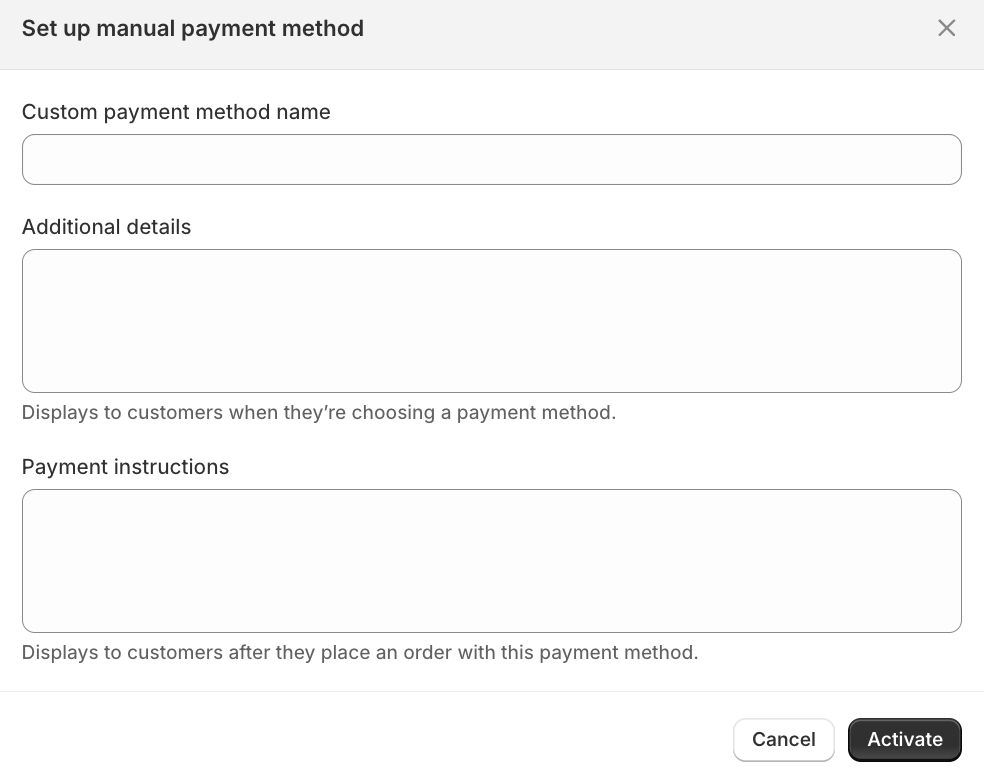
This is the simpler method. You create a custom manual payment method such as:
- Invoice Net 30
- Pay by Purchase Order
- Bank Transfer
- Wire Transfer for Approved Accounts
- Invoice for Wholesale Buyers
Shopify’s manual payment methods let customers place orders online without paying by card, and the merchant can arrange payment separately. Orders using manual payments are marked unpaid or pending until payment is received and recorded.
This works well for basic invoice workflows.
Option 2: Shopify B2B payment terms
This is the cleaner B2B method if you use Shopify’s B2B company/location setup.
Shopify says B2B features are available on Basic, Grow, Advanced, and Plus plans. Net terms, payment reminders, PO numbers, draft order to invoice, easy reorders, and B2B Flow automations are available across plans, while advanced payments like deposits and partial payments are Plus-only.
Use this when you want a more structured B2B workflow with companies, company locations, catalogues, and payment terms. You can set it up in the payment terms option under the companies section as shown in the screenshot below
Using Wholesale Helper Apps for More Flexible Pay Later Workflows
If you want more control than a basic manual payment method, you can use Wholesale Helper apps to manage Pay Later access more safely.
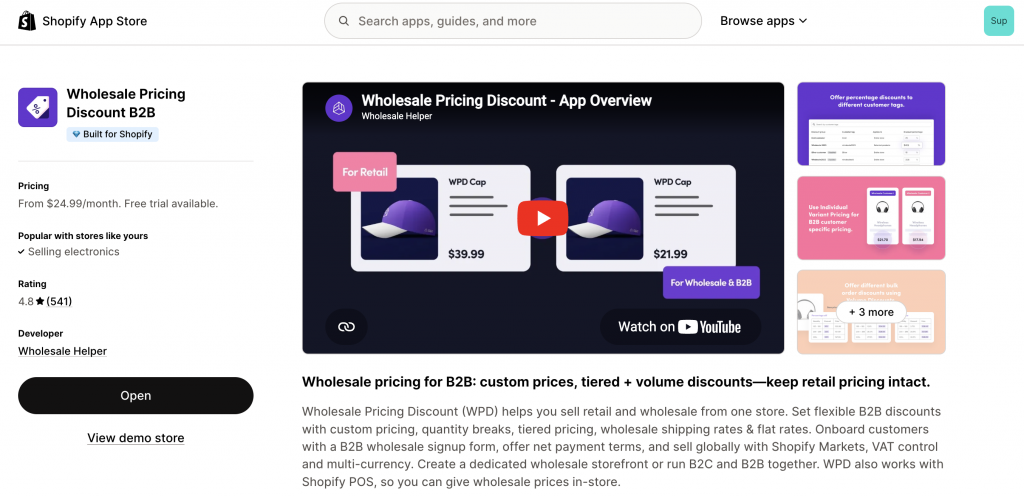
Wholesale Pricing Discount B2B can help you set up and offer net terms only to approved wholesale buyers. This is useful when different customer groups need different payment rules, pricing, order minimums, shipping rules, or wholesale discounts. For example, a normal retail customer can pay upfront, while an approved distributor or wholesale account can get Net 30 terms.
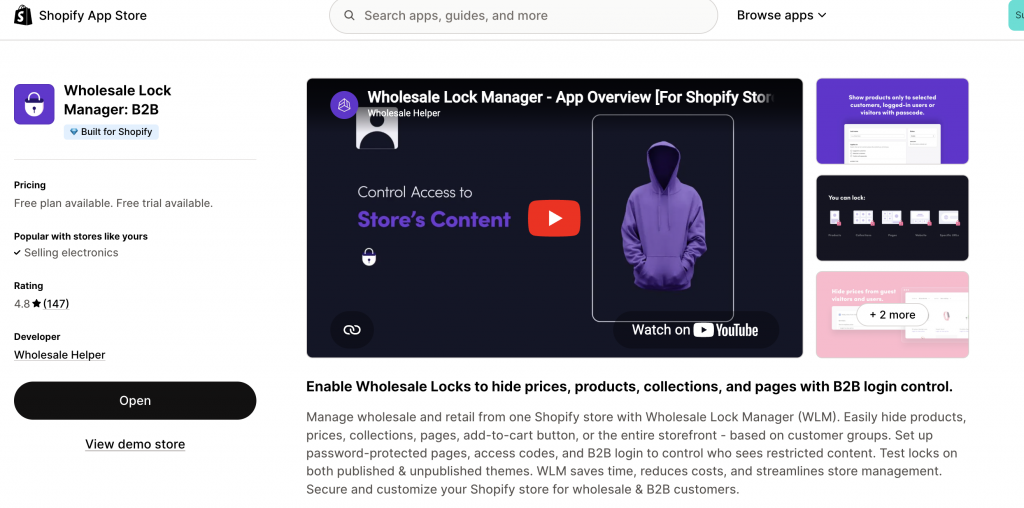
Wholesale Lock Manager B2B can help control who sees Pay Later information in the first place. You can hide invoice payment pages, wholesale pricing, B2B-only collections, or payment-term details from regular shoppers. This keeps Pay Later from looking like a public payment option and makes it available only to logged-in or approved buyers.
For follow-up, AReceivables can help manage the accounts receivable side after the order is placed. It can be used for unpaid order tracking, invoice reminders, PDF invoices, account statements, and payment follow-ups. This is useful because offering Pay Later is not just a checkout setting. You also need a way to track who has paid, who is overdue, and which accounts should keep or lose payment terms.
Real-World Example of Implementing Pay Later Checkout in Shopify
Business: A leading provider of Commercial Office Supplies to businesses and institutions globally.
- Customer: A local government department (pre-approved and tagged net-30-approved in Shopify).
- Ordering Process: The department’s procurement officer browses the online catalogue on the Shopify store. They add needed supplies to their cart and proceed to checkout.
- Payment Selection: At the payment step, they select “Invoice (Net 30)” from the available options.
- PO Number Input: They enter their internal Purchase Order number in the designated checkout field (added via a custom fields app).
- Order Placement: The order is placed in Shopify as “unpaid.”
- Invoice & Fulfillment: The commercial office supplies company receives the order, automatically syncs it to their QuickBooks account (via integration), which then auto-generates a formal invoice. The order is then fulfilled and shipped.
- Payment & Reconciliation: The local government department pays the invoice via bank transfer within 30 days. The company’s finance team then marks the order as “paid” in Shopify and QuickBooks, completing the transaction cycle.
Ready to impress your B2B customers? Manage your B2B Payment Terms like a pro! 🙂
Try our Wholesale Pricing Discount app for free !
Trusted by over 16,000 Shopify merchants
Final Summary: Successfully Enable Pay Later Checkout in Shopify
Pay Later checkout in Shopify can mean two things for B2B stores: a simple manual invoice payment method, or structured Shopify B2B payment terms. For smaller stores, a custom manual payment method like “Invoice Net 30” or “Pay by Purchase Order” can be enough.
For more mature B2B stores, Shopify B2B payment terms are cleaner. You can assign net terms to companies or company locations, collect PO numbers, support payment reminders, and manage B2B accounts in a more structured way.
The best setup is controlled: approve buyers first, set terms based on trust, collect PO numbers, send proper invoices, track due dates, and remove Pay Later access if customers do not pay on time.
Frequently Asked Questions (FAQs) About Invoice, Net Terms, and Pay Later Checkout in Shopify
These FAQs address common queries regarding enabling Pay Later checkout in Shopify.
Can any customer use the invoice checkout option by default?
If you create a basic manual payment method, it can appear as a payment option at checkout, so you need clear instructions and order review. For a safer setup, offer Pay Later only to approved B2B buyers using customer tags, Shopify B2B companies, or app-based workflows.
Is Shopify Plus required to offer invoice or Net 30 checkout?
No. Shopify supports B2B features, including net terms, across Basic, Grow, Advanced, and Plus plans. However, some advanced payment features like deposits and partial payments are only available on Shopify Plus.
How can I automatically generate and send invoices?
Use an accounting tool like QuickBooks, Xero, FreshBooks, or Zoho Books, or use a Shopify invoice app. Shopify can create the order, but your formal invoice and accounting workflow should usually live in your accounting system or invoice app.
What’s the best way to track unpaid invoices and send reminders?
Use a dedicated accounts receivable workflow. AReceivables can help with unpaid order tracking, reminders, PDF invoices, and account statements. You can also use your accounting system or Shopify Flow to create internal reminders.
Can I charge different service fees for using Pay Later?
Be careful. Shopify manual payment methods do not automatically add a service fee based on payment method. You may need a custom app, draft order workflow, or accounting adjustment. Also check local rules before adding fees for payment methods or credit terms.
How do I pre-qualify customers for Net Terms?
Use a wholesale application form. Ask for company name, business email, website, tax ID or resale certificate where relevant, expected monthly order value, buyer type, billing contact, and references if needed. Start new buyers on prepaid or Net 15, then move to longer terms after they build payment history.