Key Takeaways
- You do not always need a second Shopify store to sell to distributors on Shopify. Many brands can manage DTC and distributor sales from one Shopify admin.
- Distributors usually need different pricing, bulk packs, MOQs, net terms, PO workflows, invoices, and fast reordering.
- Shopify B2B is now available across Shopify plans, but Shopify Plus still has advanced B2B features for larger or more complex distributor programs.
- You can use native Shopify B2B features, customer tags, gated collections, wholesale apps, draft orders, and order forms to create a distributor buying experience.
- The main goal is to keep retail shoppers seeing the normal store while approved distributors see the right catalog, pricing, payment terms, and reorder flow.
Many thriving Shopify merchants eventually reach a pivotal moment: “We’re successfully selling directly to consumers (DTC). Now, how do we cater to distributors and resellers asking to purchase from us?” The immediate thought often turns to launching a separate Shopify store.
The short answer is: No, you do not need to build a second Shopify store to sell to distributors on Shopify.
Instead, the smarter, more efficient strategy is to segment the buying experience directly within your existing Shopify store. This comprehensive guide will demonstrate how to seamlessly implement distributor pricing, access control, order minimums, and Net Terms – all without the overhead of launching another Shopify storefront or investing in a Shopify Plus subscription.
Why Avoid Running Two Separate Shopify Stores?
While the idea of having distinct Shopify stores for wholesale/distributor (B2B) and retail (B2C) sales might seem logical on the surface, it introduces significant and often unnecessary complexity:
- Duplication of Effort: You’d be managing duplicate product catalogs, inventory levels, marketing campaigns, and content across two platforms.
- Split SEO Value: Your search engine optimization (SEO) efforts become diluted across multiple domains, hindering your overall online visibility.
- Increased Management Overhead: You’d be juggling two separate checkout flows, two customer lists, two admin panels, and potentially two sets of analytics.
- Higher Costs: Maintaining two separate Shopify subscriptions, themes, and app stacks doubles your operational expenses.
Instead, a more strategic approach leverages Shopify’s robust customer tagging system and integrated app logic. This allows you to dynamically display different products, custom pricing, and specific payment options based on the identity of the logged-in customer, all from a single, centralized Shopify admin.
What Distributors Typically Expect from Your Shopify Store
To effectively sell to and retain distributors, your Shopify wholesale setup must support their unique operational requirements. Key expectations include:
- Access to Distributor-Only Products/Packs: Exclusive access to bulk SKUs, larger case quantities, or region-specific product variants not available to retail customers.
- Wholesale Pricing or Tiered Volume Discounts: Specialized distributor pricing that is significantly lower than retail, often accompanied by attractive tiered discounts for higher order volumes.
- Minimum Order Quantities (MOQs): Clearly defined minimum purchase requirements per product, variant, or total order value, crucial for managing profitability and inventory for bulk orders.
- Net 30, Net 60, or Invoice-Based Payments: The flexibility to place orders without immediate payment, allowing them to submit a Purchase Order (PO) and pay later via invoice, typical for B2B transactions.
- Fast Ordering of Large Product Lists: A streamlined, efficient ordering process for dozens or hundreds of SKUs, designed for quick bulk additions and reorders.
- A Clean, Professional Interface: An intuitive user experience that clearly separates their distributor catalog from your public-facing retail site.
All of these essential functionalities can be expertly configured within your existing Shopify store, using a smart combination of Shopify’s native features and a few purpose-built Shopify Wholesale apps.
How to Sell to Distributors in One Shopify Store: Step-by-Step Guide
Here’s how to build a powerful, centralized Shopify wholesale solution for your distributors:
1. Approve distributor accounts and assign the right access
Before showing distributor pricing or products, decide who qualifies as a distributor. Your approval process may include:
- Business name
- Resale certificate or tax ID
- Region or territory
- Expected order volume
- Product categories they want to buy
- Payment terms request
- Sales rep or account manager, if applicable
Once approved, you can set up distributor access using company profiles, company locations, customer tags, catalogs, or wholesale app rules.
Customer tags are still useful for simple setups. For example:
- distributor-approved
- net-30-eligible
- tier-1-distributor
- tier-2-distributor
- intl-distributor-eu
- tax-exempt-approved
For native Shopify B2B, company profiles are also important. Shopify lets you create companies for B2B customers and configure settings such as payment terms, shipping address, contact permissions, catalogues, tax exemptions, and checkout settings.
2. Create Exclusive Distributor-Only Products or Collections
Distributors may need access to products that retail shoppers should not see.
This can include:
- Case packs
- Carton-size SKUs
- Bulk bundles
- Regional distributor products
- Private-label variants
- Starter kits
- Display units
- Distributor-only replenishment packs
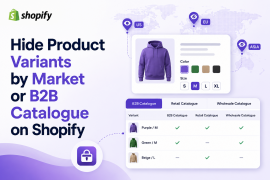
Create a dedicated distributor collection, such as “Distributor Catalog” or “Bulk Ordering,” and keep it hidden from normal retail shoppers.
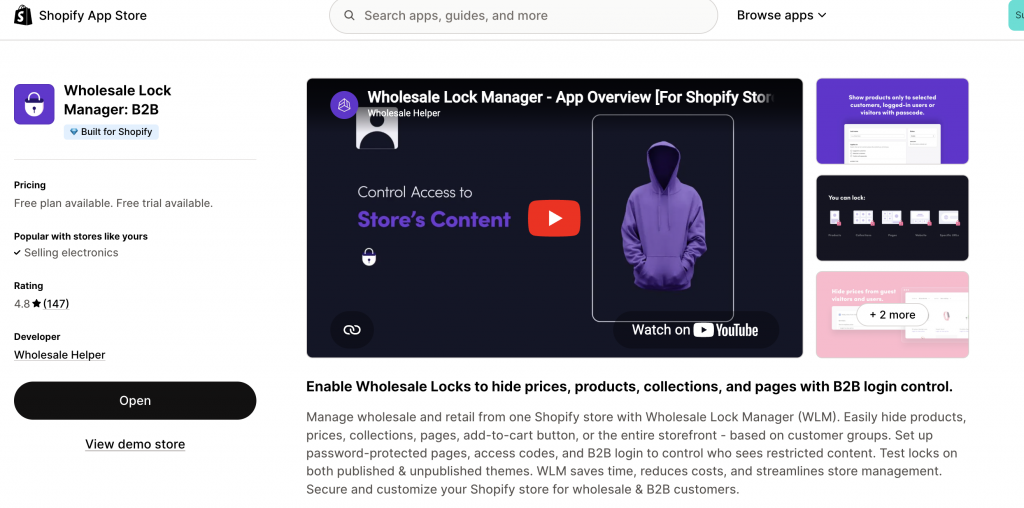
You can control access using Shopify B2B catalogs, customer tags, login-based rules, gated collections, or an access-control app. Wholesale Lock Manager B2B can help restrict products, collections, pages, or prices so only approved distributor accounts can view them.
3. Set Custom Pricing for Distributors
Distributors usually need better pricing than normal wholesale customers because they buy in larger quantities and may resell to retailers or regional buyers. Your pricing setup may include:
- Fixed distributor pricing
- Tiered discounts
- Volume discounts
- MOQ-based pricing
- Market-specific pricing
- Account-specific pricing
- Product-specific margin rules
In Shopify, distributor pricing can be handled in a few ways.
Native Shopify B2B catalogs can be used for B2B pricing and product availability, with plan-based limits. Shopify’s 2026 changelog says Basic, Grow, and Advanced plans can use up to 3 active B2B catalogs assigned through Markets, while Shopify Plus allows more advanced catalog control.
Wholesale apps can still be useful when you need more flexible rules around customer tags, price lists, volume discounts, MOQs, net terms, or mixed B2B/B2C workflows.
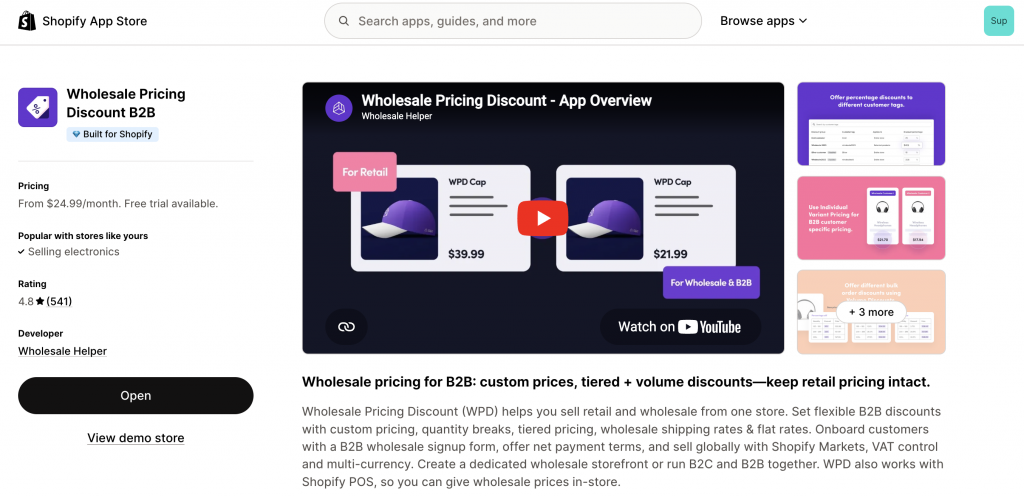
Wholesale Pricing Discount B2B can help merchants set distributor-specific pricing, quantity breaks, volume discounts, and minimum order rules while keeping retail pricing separate.
Real-World Example: A Premium Pet Care Brand
Scenario: A rapidly growing pet care brand sells directly to consumers (DTC) via its Shopify store and also supplies a network of local pet stores and regional distributors across the USA and Canada.
Their Shopify Distributor Setup:
- Approved Distributor Access: A distributor from Alberta, Canada, logs into their account, which is tagged distributor-approved and net-30-canada.
- Exclusive Catalog: They immediately gain access to a “Distributor Catalog” collection, which is hidden from public view and contains bulk-size pet food bags and multi-pack treat bundles not available to retail.
- Distributor-Specific Pricing: Using Wholesale Pricing Discount B2B, they see a flat 40% off MSRP on all items, visible only after login. For specific bulk items, tiered discounts apply (e.g., order 10+ cases for an additional 5% off).
- Order Minimum: Their order must meet a $500 CAD minimum before checkout.
- PO Payment: At checkout, they select “Pay by Invoice (Net 30)” and input their Purchase Order number in the order notes field.
- Efficient Reordering: A Reorder button on their account page (powered by WSH Order Form & ReOrder) allows them to quickly repeat their monthly bulk food and treat orders.
- Invoice Management: The merchant then manually sends a Draft Invoice from Shopify or through their integrated accounting software (e.g., QuickBooks), tracked via AReceivables.
All of these complex B2B and distributor-specific operations occur seamlessly within the single, existing Shopify store, demonstrating clarity and control.
When native B2B is not enough, Wholesale Pricing Discount B2B is the next step.
Try our Wholesale Pricing Discount B2B app for free !
Trusted by over 16,000 Shopify merchants
Frequently Asked Questions (FAQs) About Selling to Distributors on Shopify
Can I sell to distributors on Shopify without creating a second store?
Yes. Many Shopify merchants can sell to distributors from the same store they use for retail customers. The setup usually includes approved distributor accounts, gated catalogs, custom pricing, MOQs, payment terms, invoices, and reorder tools.
Do I need Shopify Plus to sell to distributors?
No. Shopify has expanded foundational B2B features to Basic, Grow, and Advanced plans, including company profiles, B2B catalogs, payment terms, volume pricing, ACH payments in the US, and vaulted credit cards. Shopify Plus still has more advanced features such as unlimited catalogs, direct company catalog assignment, deposit requirements, partial payments, and payment requests per fulfillment.
Can I show different products to distributors and retail customers?
Yes. You can show different products or collections to distributors using Shopify B2B catalogs, customer tags, gated collections, login-based access, or wholesale apps.
Can I give distributors different pricing on Shopify?
Yes. You can give distributors different pricing using native Shopify B2B catalogs, price lists, volume pricing, customer/company rules, or wholesale pricing apps.
Can distributors pay with Net 30 or invoice payment on Shopify?
Yes. Shopify B2B supports payment terms such as net terms. You can also use draft-order invoices, manual payment methods, purchase-order workflows, or apps for net terms and payment reminders.
Can distributors place repeat orders easily?
Yes. Distributors can reorder from their customer account, and apps like WSH Order Form & ReOrder can make bulk reordering easier by letting buyers quickly add multiple SKUs or repeat past orders.